Setting up a client with a GST Direct Profile

These instructions will assist you to setup a client for GST Direct.
In recap of the set-up requirements for GST Direct customers, please find the following procedures to follow once you have secured the signed GST letter with your customers.
-
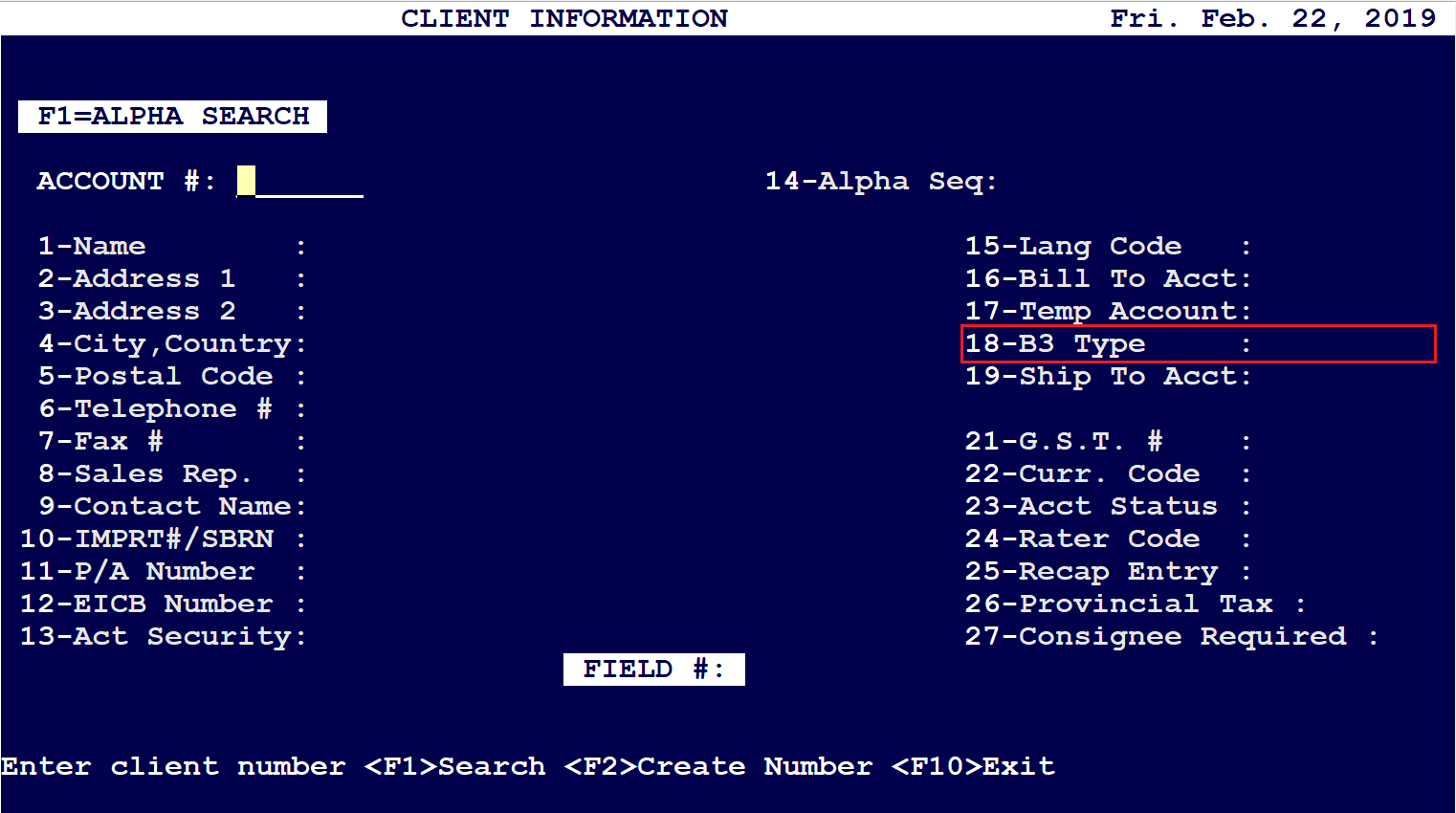
Client Screen (1-3-1), field 18 to G which activates the system reports and CBSA profile. Or the New Customer screen can be used from the Top menu: Setup - Customers - Create/Edit
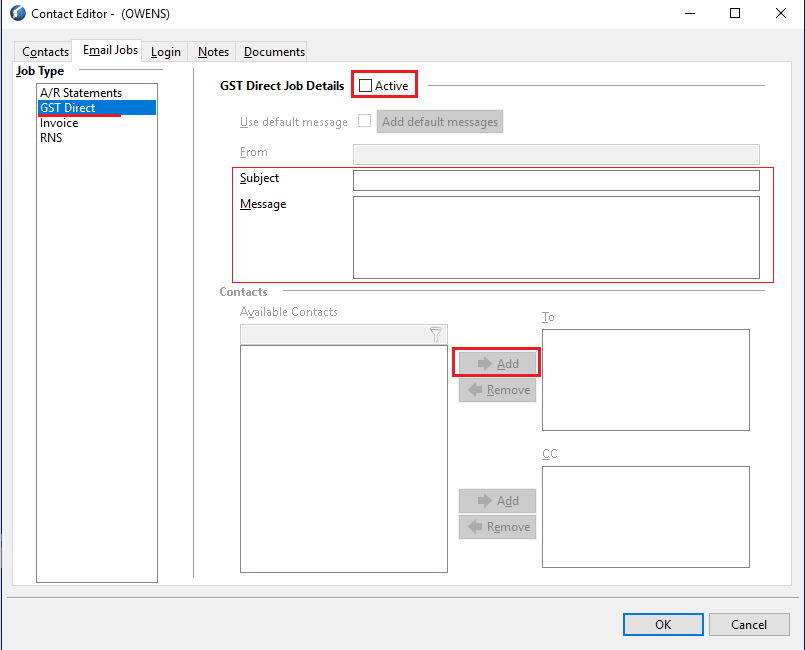
- F7 Contact/Email Jobs, you can add the email address for the client to receive the monthly GST Report. You can also update the Add default Message, Email From, Subject and Message body once the Active flag is selected. This allows you to create a standard GST Direct email message template for all customers.
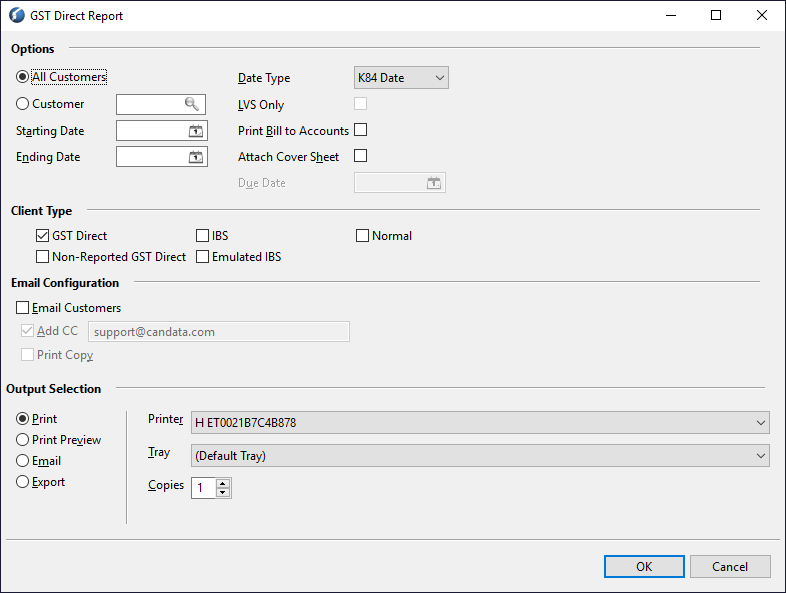
- Monthly (usually on the 25th of each month or next business day), you will run the GST Direct Reports via Menu items 8- 16 - 6. Or from the Top menu: Reports - B3 - GST Direct.
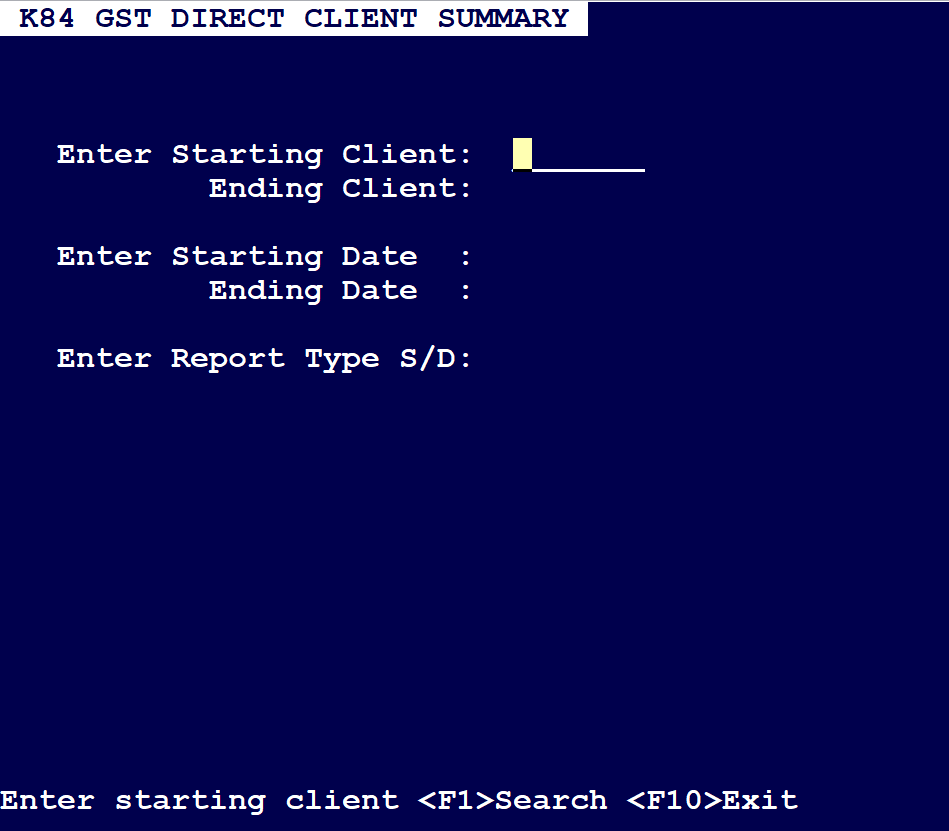
- From this screen you can select All Customers or one by one. You select the date range of the previous period to the current. (Usually 25th of the previous month the 24th of the current). You select email customers and can also add a cc to yourself for tracking. You can also view Detail or Summary GST statements via menu items 4-10-8.
Comments
0 comments
Article is closed for comments.