Brokerage Schedule

Main Menu: Masterfile Maintenance (1) - Brokerage Schedule File (9)
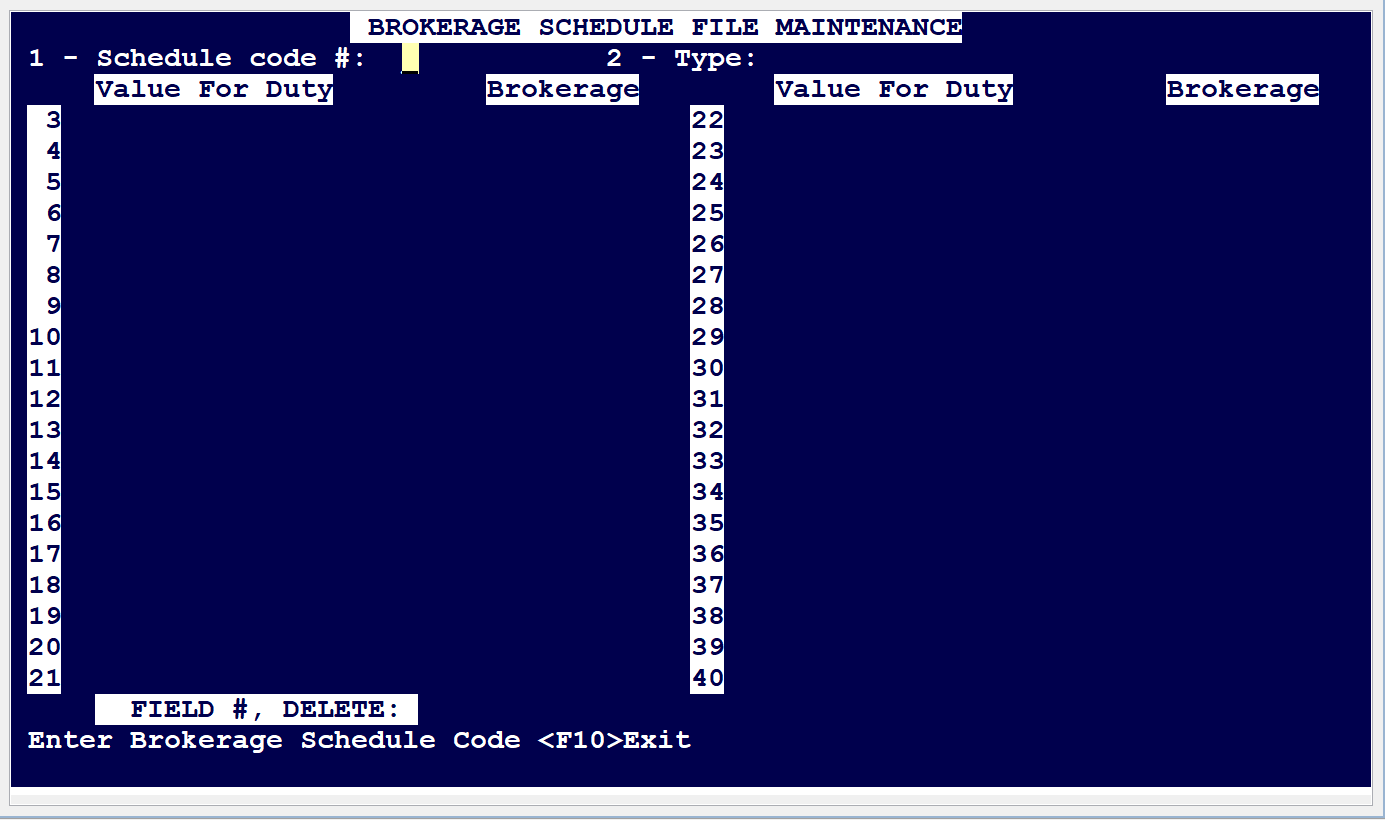
Enter a code for 'Schedule Code#:' as it could be an alphabet 'A' or 'a' or a numerical digit like '3' or any digit. For example see schedule below:
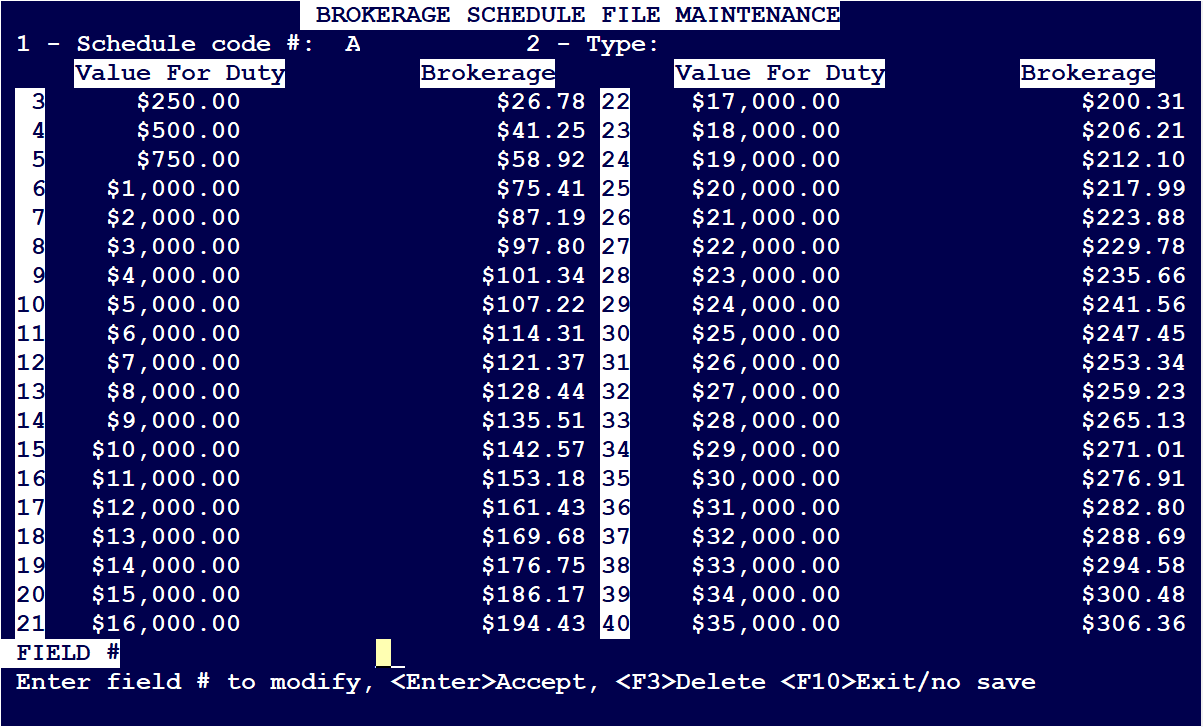
- For 'Value For Duty': $250 as per line # 3 it corresponds to a 'Brokerage' of $26.78
- If the Value For Duty is between $250 and $500 the Brokerage is $41.25 etc
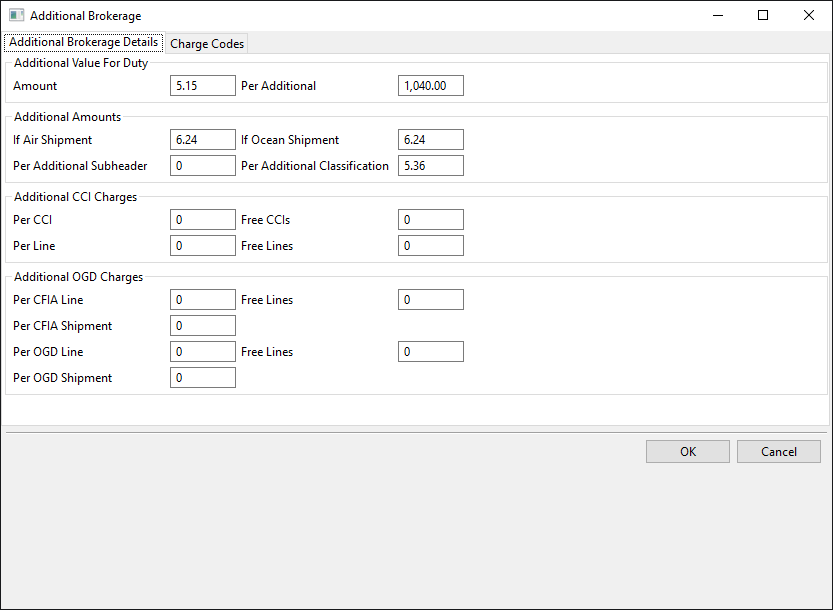
Once all the necessary lines are filled out, press on Enter again will launch the 'Additional Brokerage' window where further charges, and free CCI lines can be configured as per below.
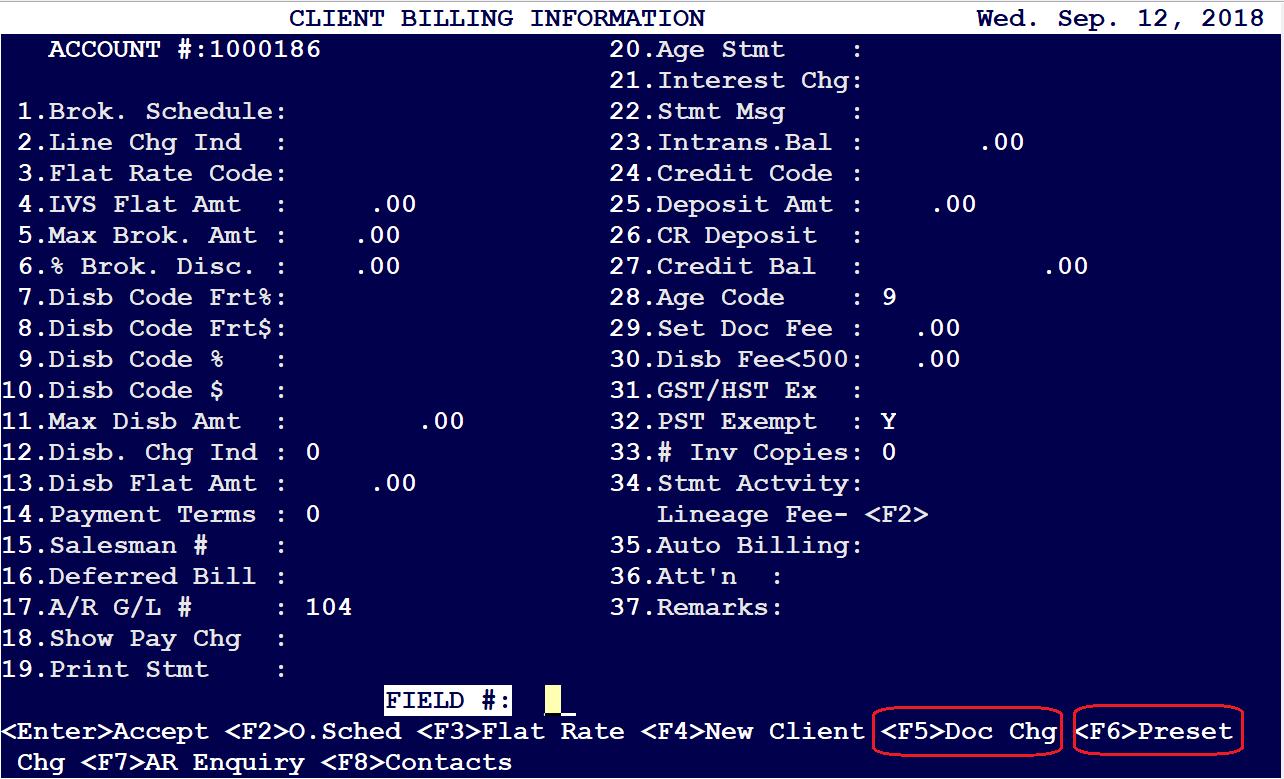
Once the Brokerage schedules are defined, customer billing accounts can be configured to use any schedule. That is defined at Main Menu: Master file Maintenance (1) - Client Files (3) - Client Billing Information (2), Field # 1 'Brok. Schedule'
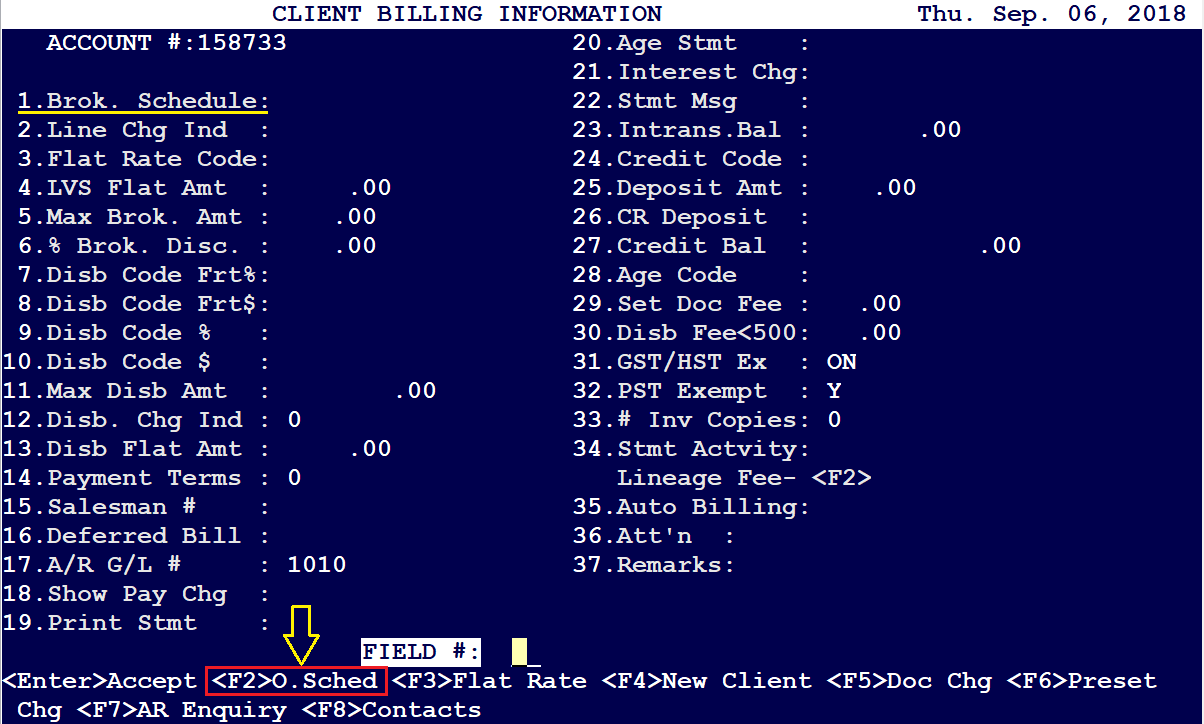
Additional Brokerage can be adjusted or overridden by pressing on <F2> Key, which will launch the Additional Brokerage window to be configured
Brokerage Schedule can also be accessed at Main Menu: Master file Maintenance (1) - Client Files (3) - Client Information (1)
Load the client, and press on <F3> Preset Charges
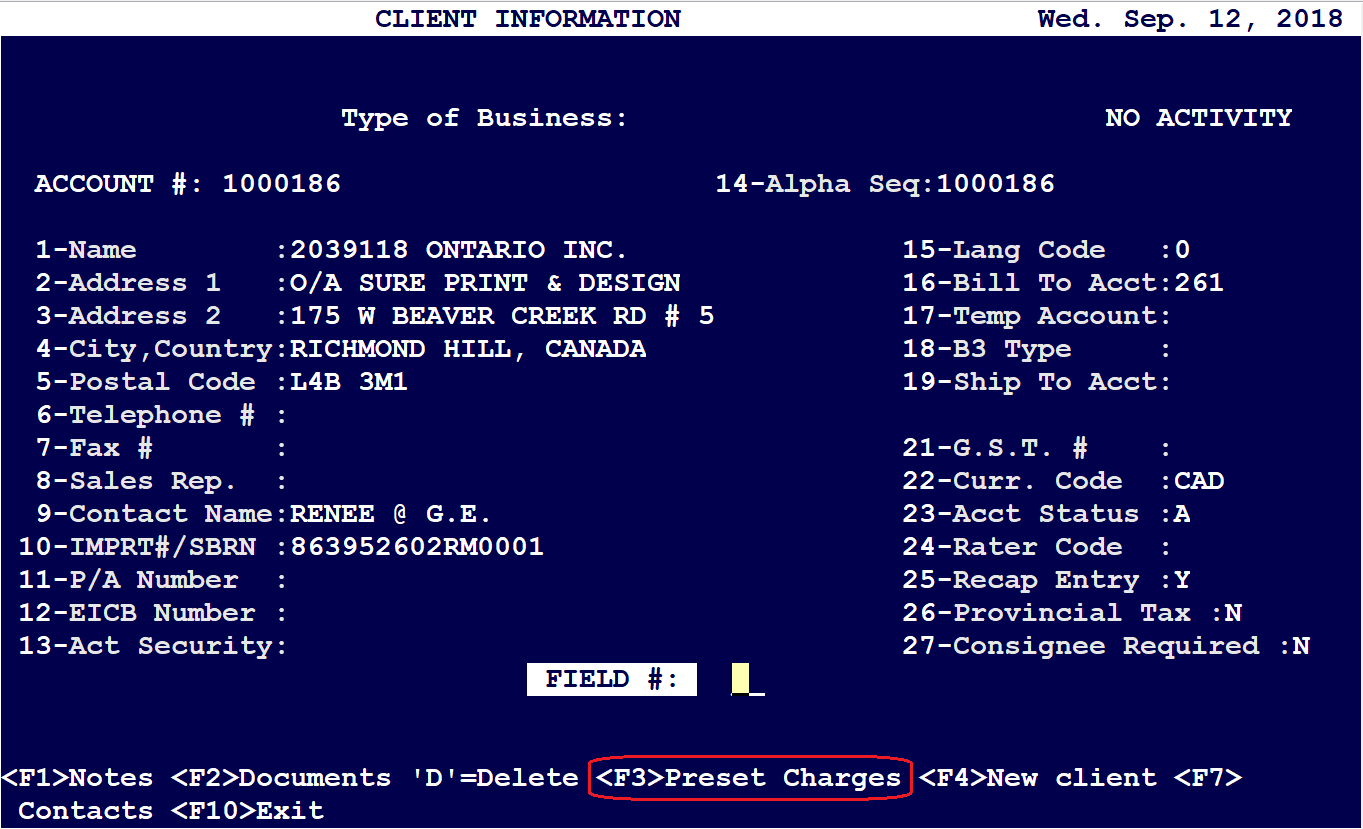
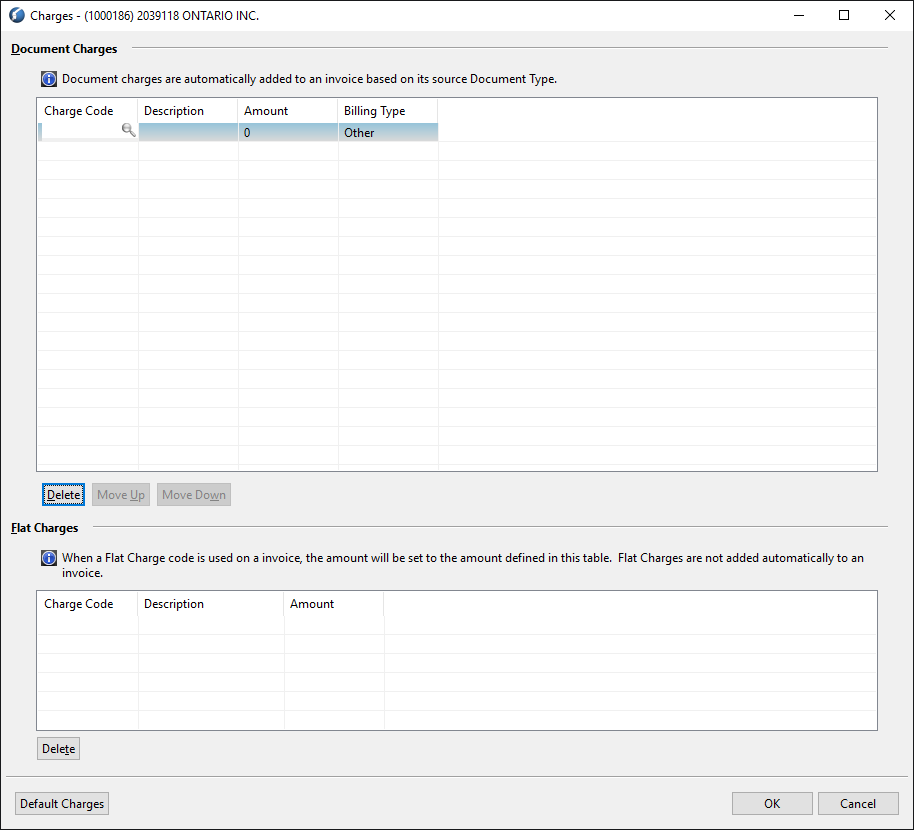
Additionally the same schedule can be accessed at Main Menu: Master file Maintenance (1) - Client Files (3) - Client Billing screen (3)
Comments
0 comments
Article is closed for comments.