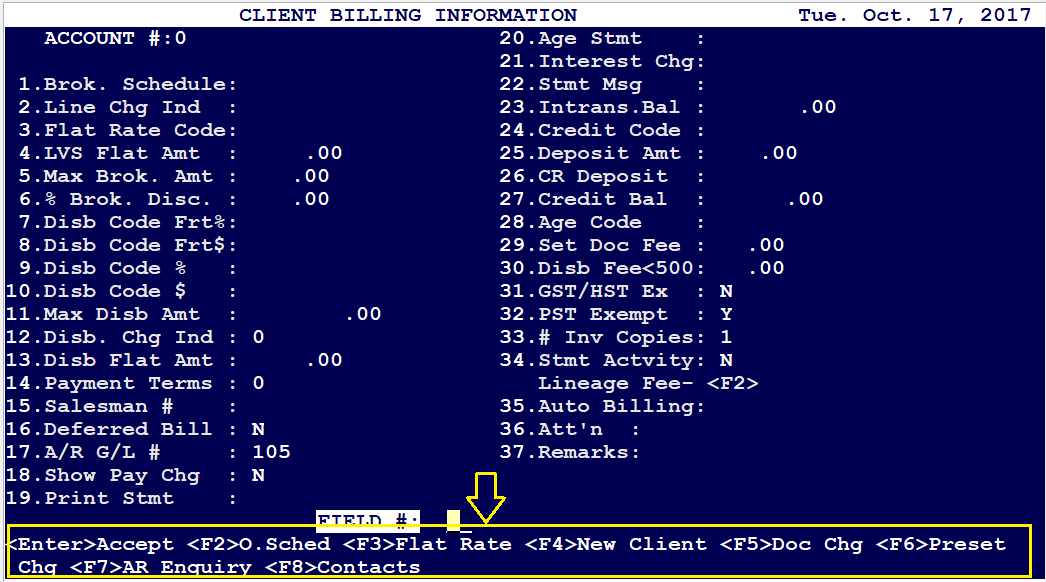
New Customer Information screen - Field Mapping

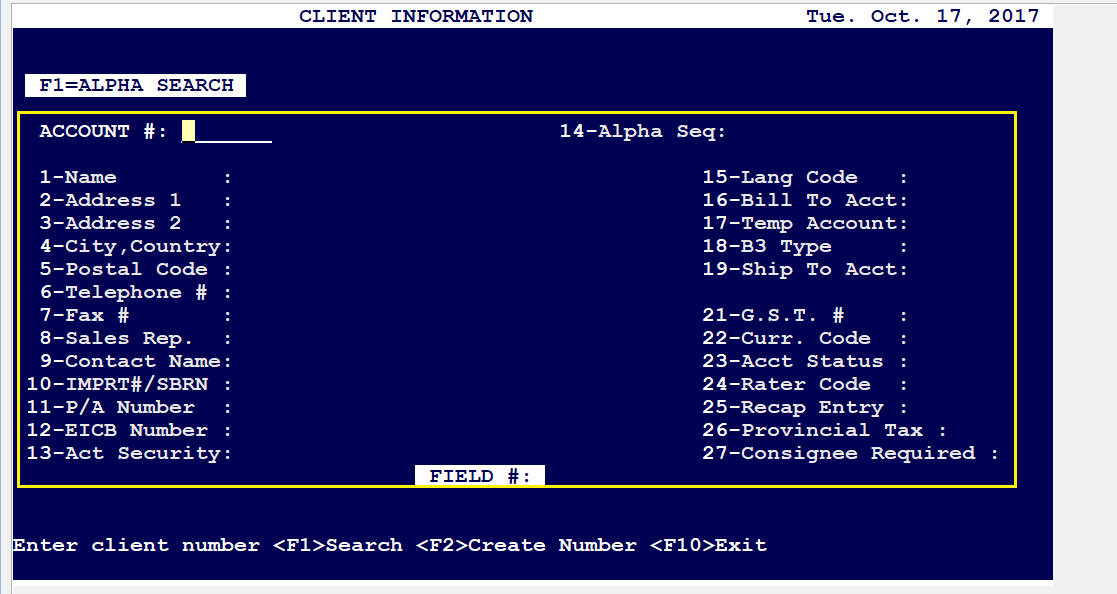
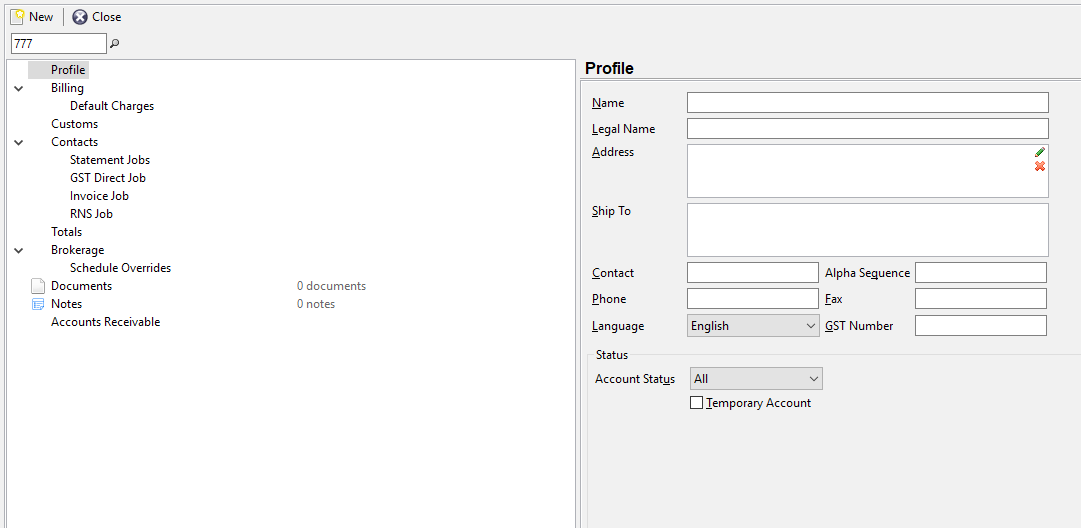
- Fields 1-9, 14, 19, 21 & 23: Option “Profile” on the NEW Client Screen below...
- Fields 10-13, 18, 24, 25, 26 & 27: Option “Customs” as per below
---------------------------------------X---------------------------------------
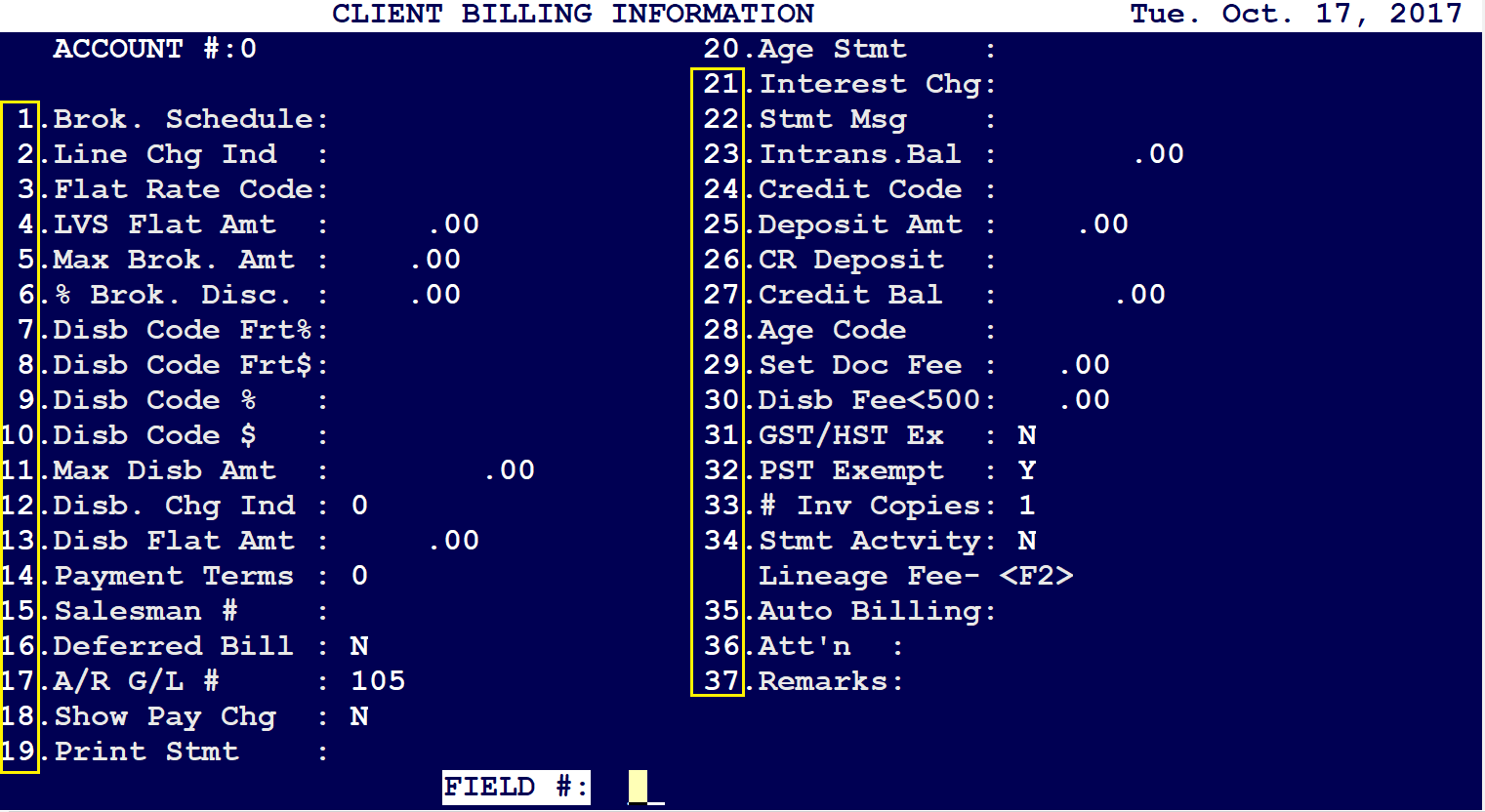
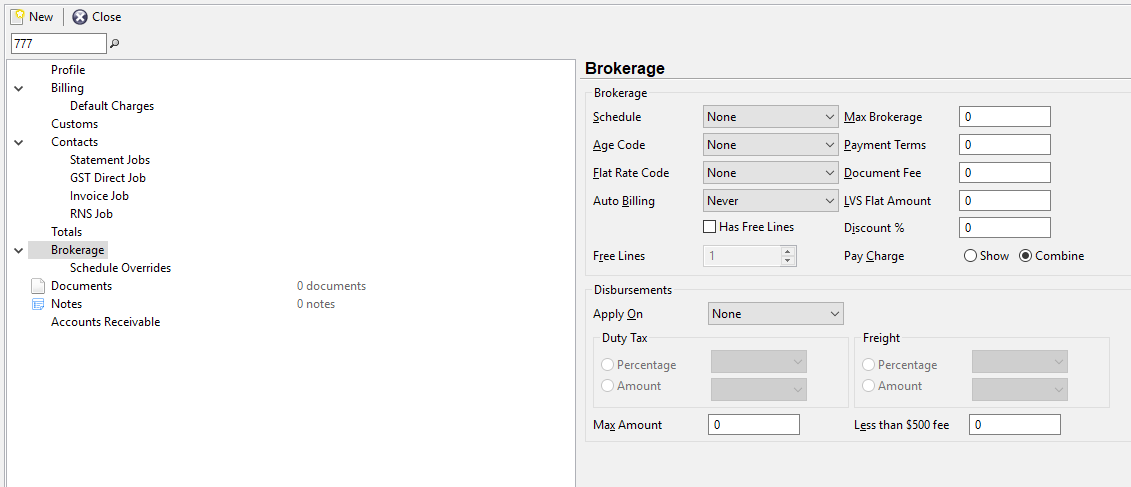
- Field 1: Option “Brokerage” on the New Client Screen as per below..
- Field 2: Option “Brokerage” - select/deselect ‘Has Free Lines’ box
- Field 3, 4, 5, 6, 7-12: Option “Brokerage”
- Field 13 Option “Brokerage” - ‘Flat Amount’ [Under Disbursements]
- Field 14: Option “Brokerage” - ‘Payment Terms’
- Field 15: Missing
- Field 16, 17: Option “Billing”
- Field 18: Option “Brokerage
- Field 19, 20, 21, 22, 23, 24, 25, 26, 27: Option “Billing”
- Field 28, 29, 30: Option “Brokerage”
- Field 31, 32, 33, 34: Option “Billing”
- Field 35: Option “Brokerage"
- Field 36 & 37: Option “Billing”
---------------------------------------X---------------------------------------
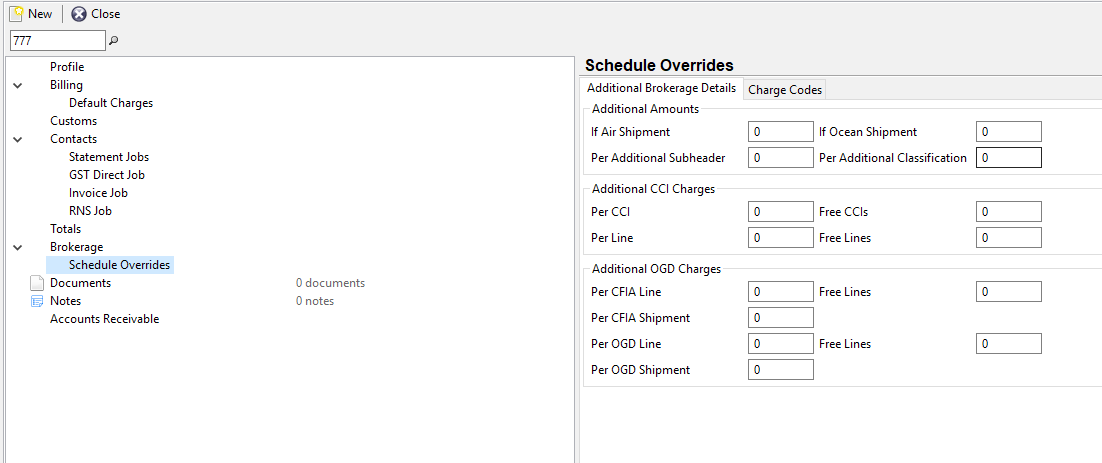
<F2> O. Sched: Option “Brokerage” - ‘Schedule Overrides’ on the New Client screen as per below..
<F3> Flat Rate: Option “Billing” - ‘Default Charges’
<F5> Doc Chg: Option “Billing” - ‘Default Charges’
<F6> Preset Chg: Option “Billing” - ‘Default Charges’
<F7> AR Enquiry: Option “Account Receivable”
<F8> Contacts: Option “Contacts” [And respective email jobs below ‘Contacts’]
Comments
0 comments
Article is closed for comments.