AP - Terms

Main Menu: Accounts Payable (4) - Setup (11) - Terms File (1) or alternatively from the Top menu: Setup - Accounts payable - Terms
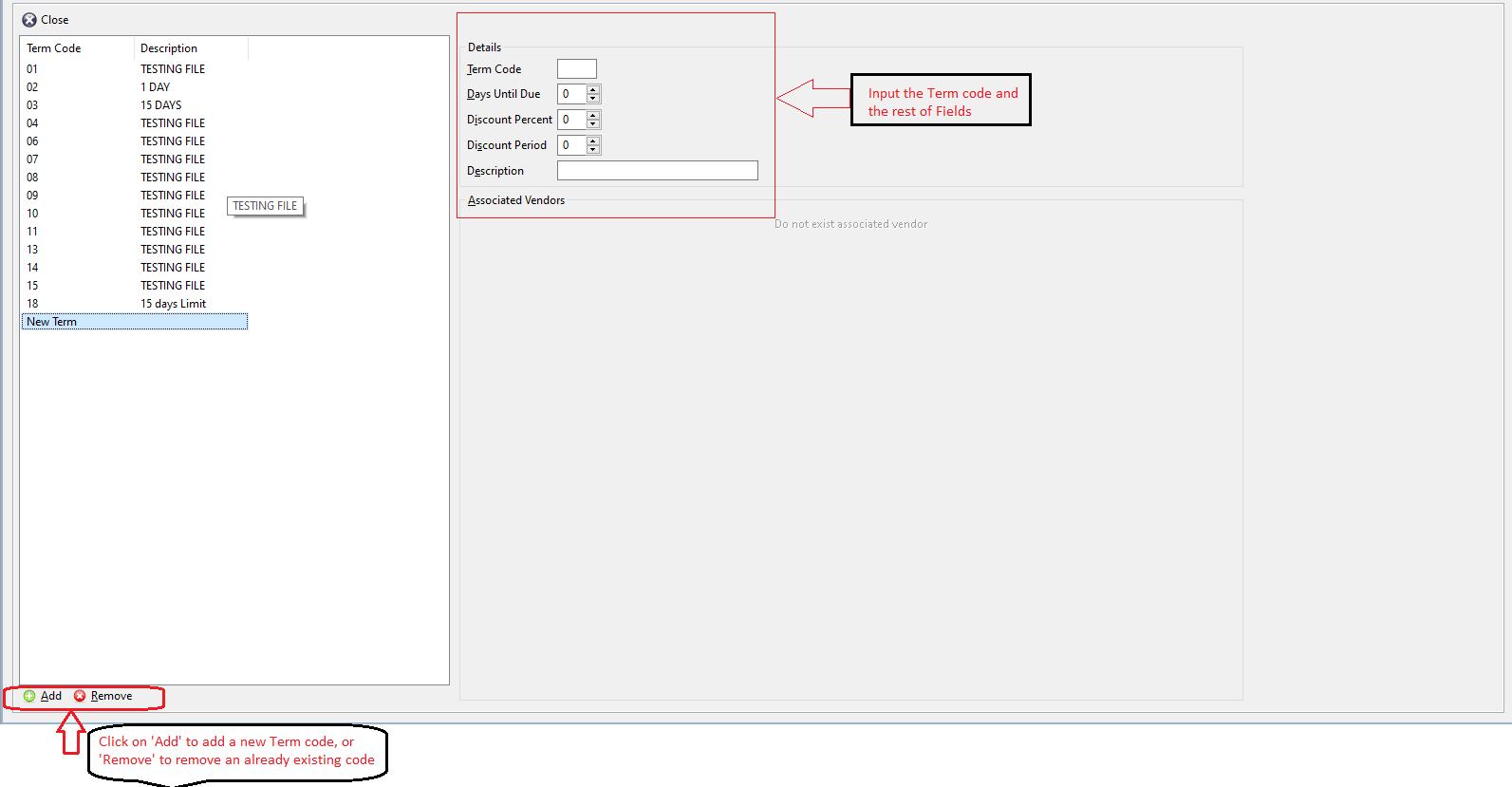
Click on add to add a new term code. After click on add, on the right side input the following:
- Term Code: Input a numerical value in this field
- Days until due: (Numerical value only)
- Discount percentage: (Numerical value only)
- Discount period: (Numerical value only)
- Description: Give a description to the Term code above
Tab out of the fields will auto-save the term code.
A term code can be selected from the list and be removed by clicking on remove at the bottom left of the screen.
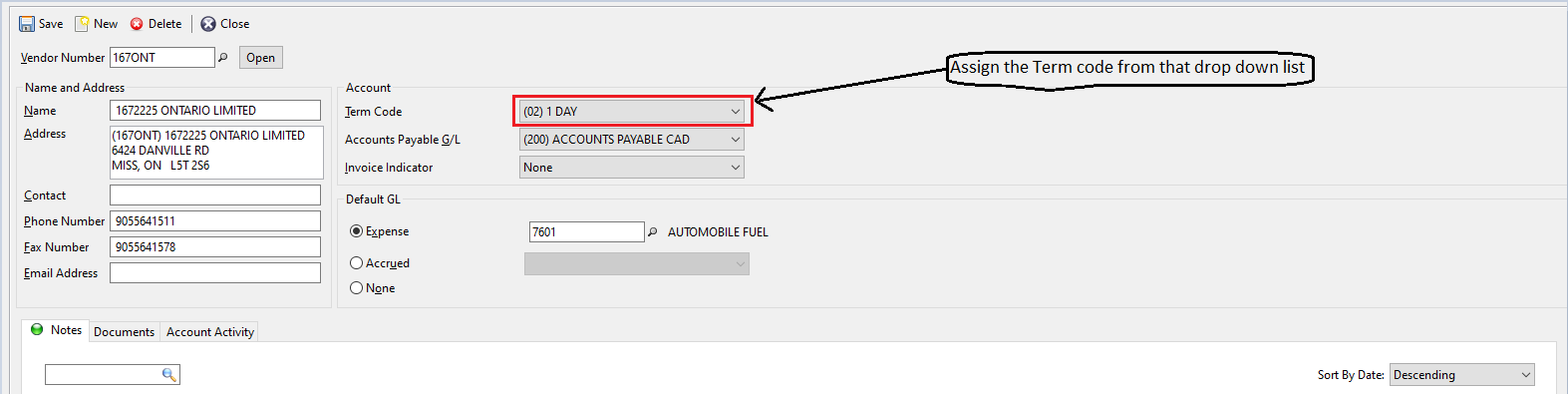
Term code defined and created above can be then assigned on the ap vendor screen from the top menu: Setup - accounts payable - vendors. See below.
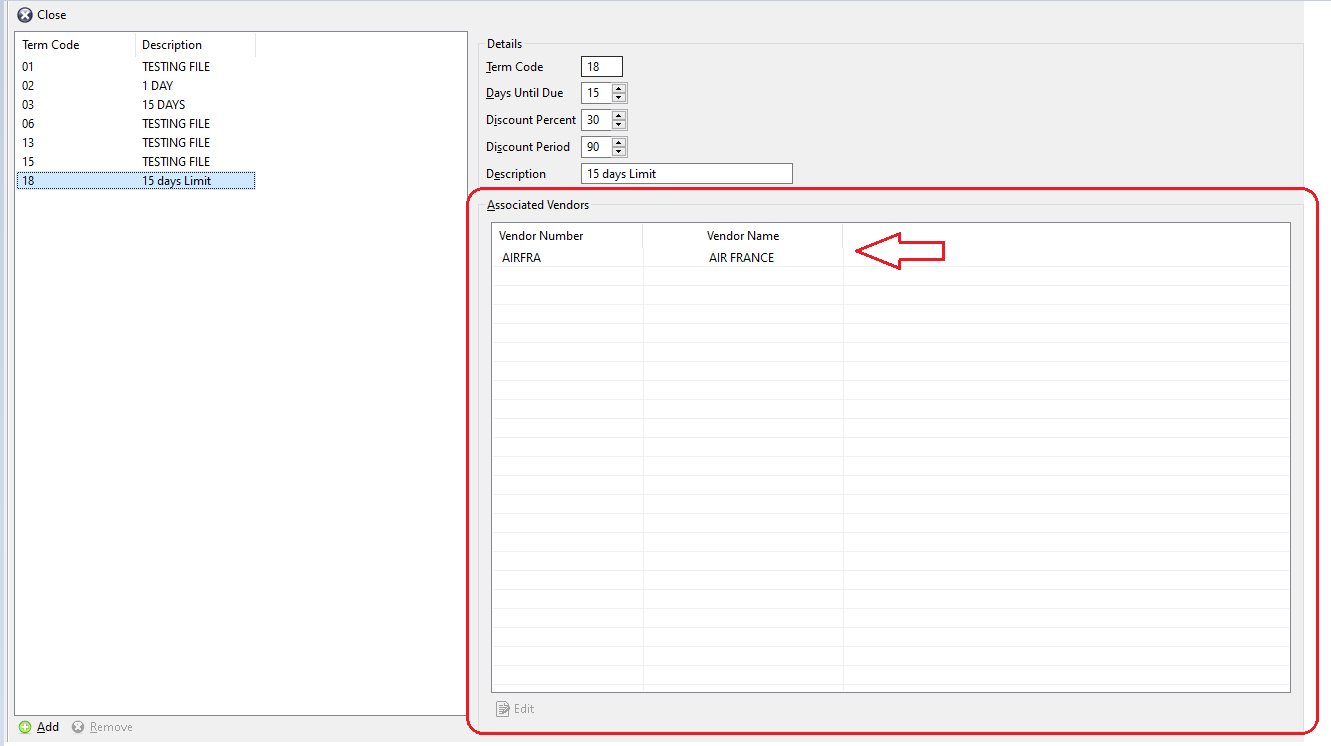
Once the Term code is assigned in the drop down list above, the corresponding vendor will load on the Terms screen appropriately as per below:
Comments
0 comments
Article is closed for comments.