Tariff/Classification Viewer

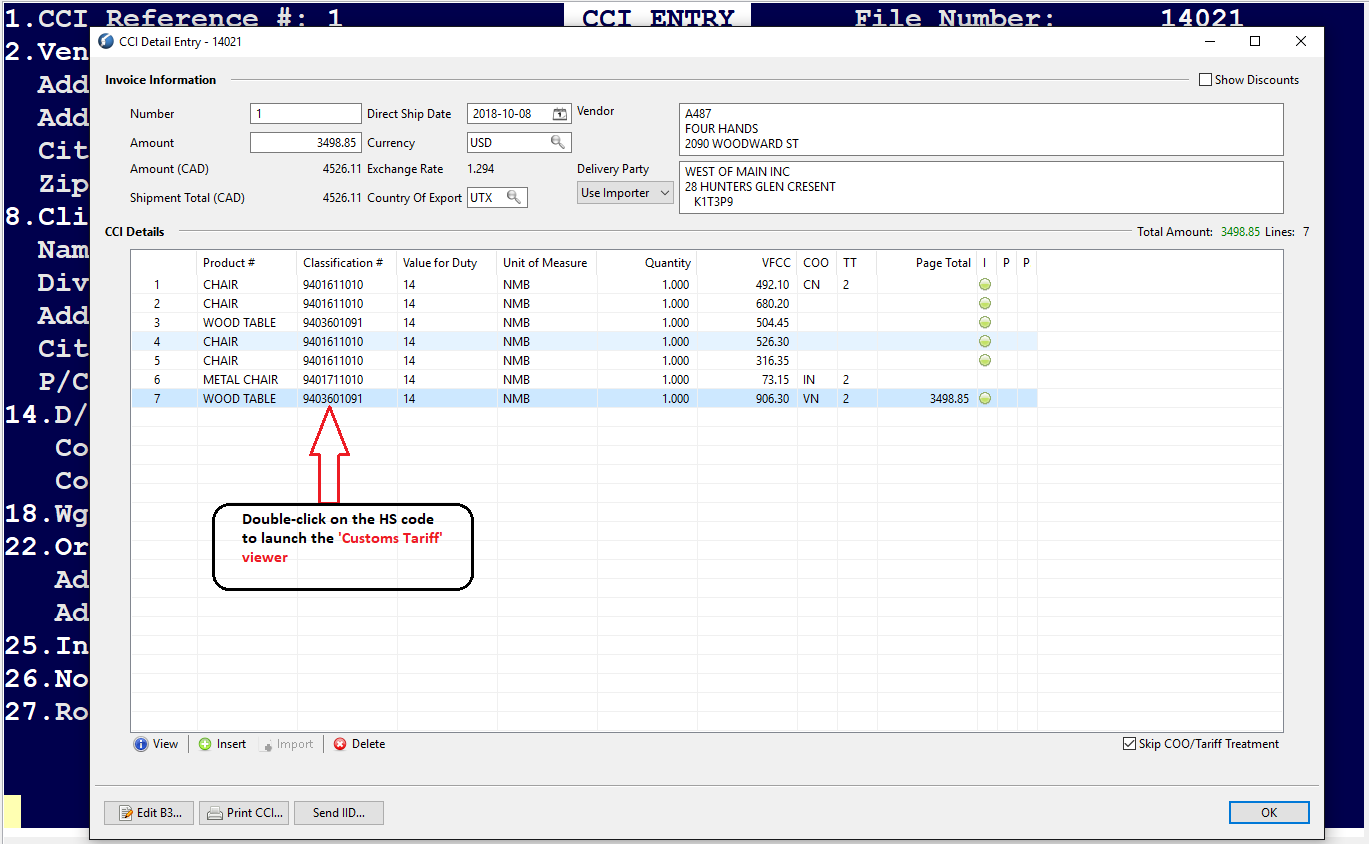
Tariff/Classification Viewer can be accessed from the CCI Detail Entry screen GUI or from the Top menu: Setup - Shipments - Products - Customs Tariff.
Just double-click on the Classification number which should launch the Customs Tariff viewer
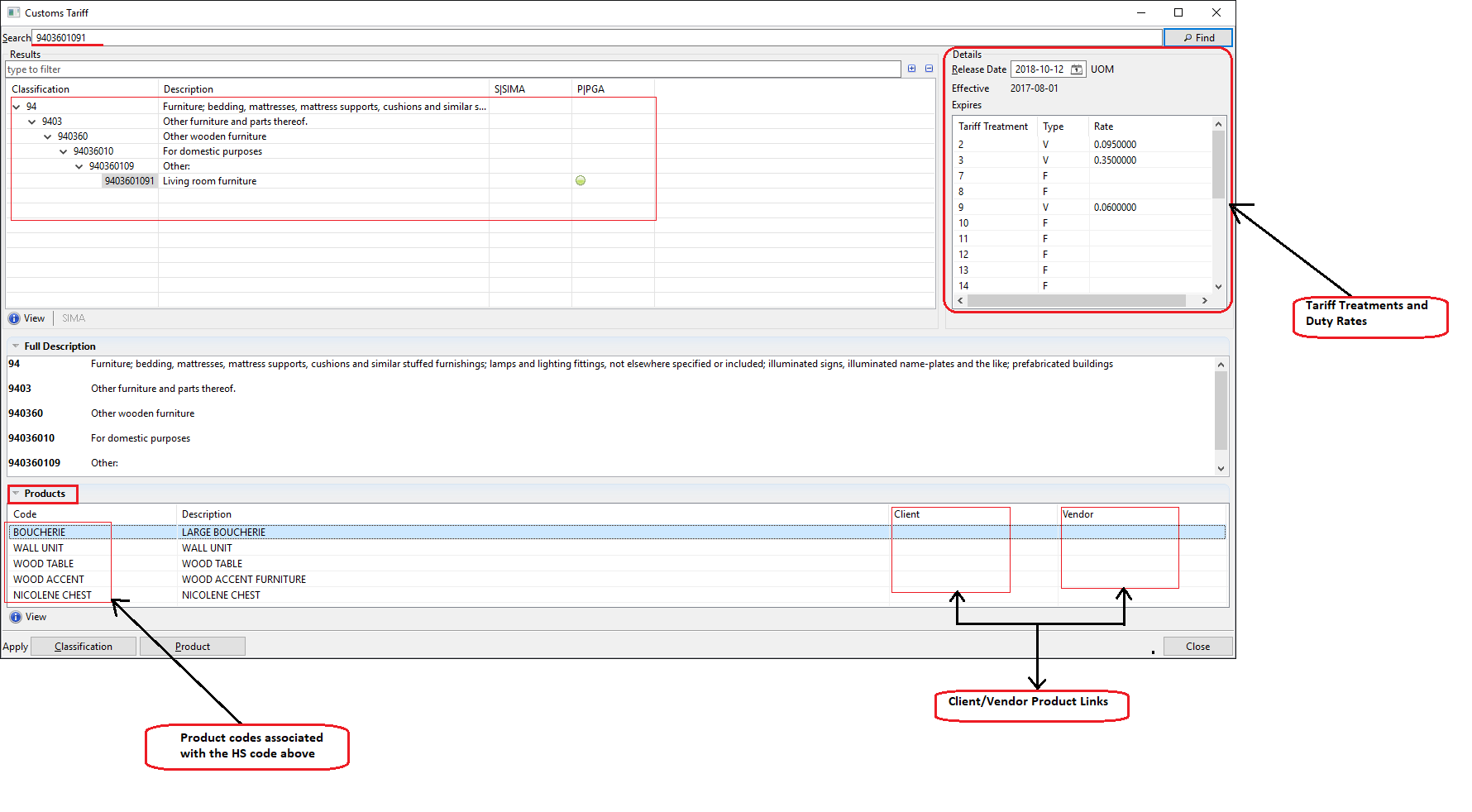
When the Customs Tariff viewer launches, it looks like the below
After selecting an HS code above, the user can click on 'View' which should launch the Classification Info viewer
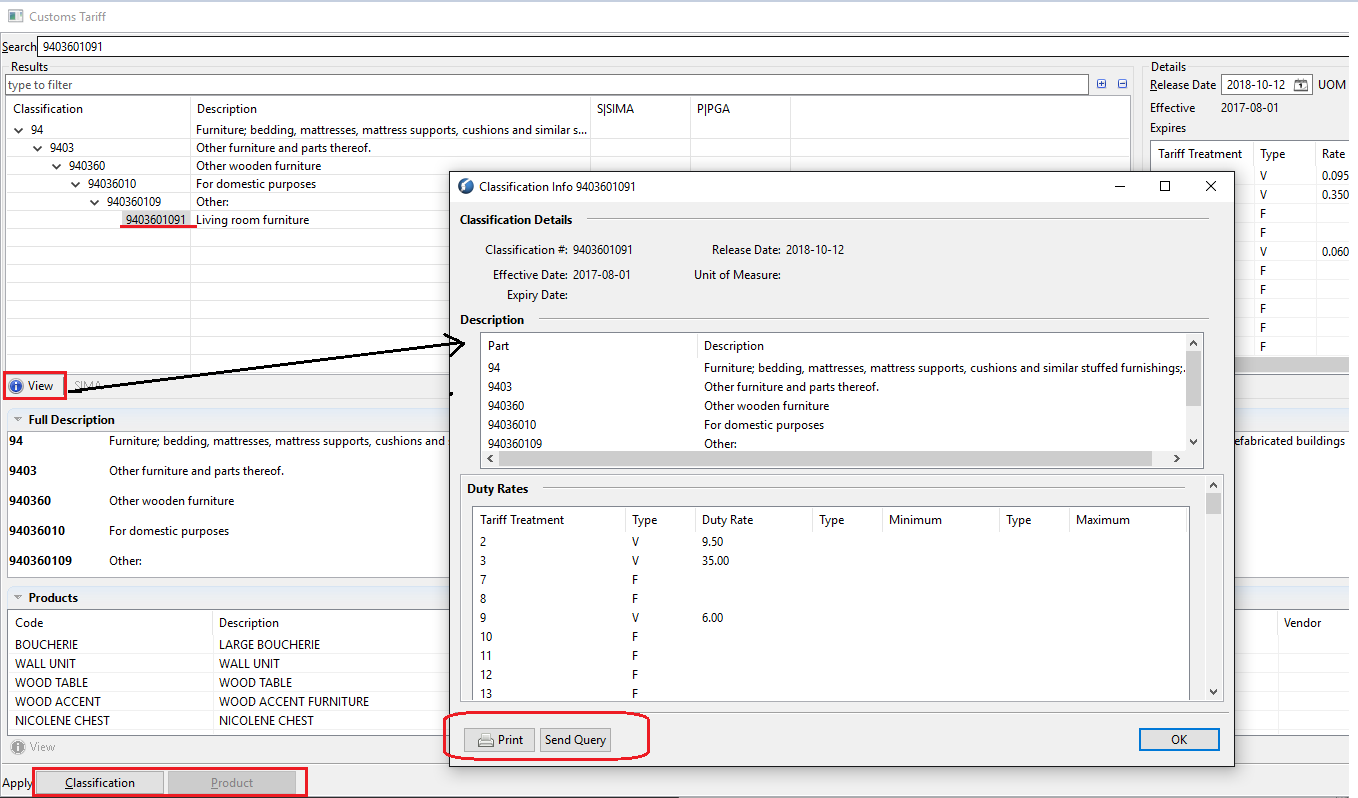
- User can Print the HS code information as per the above snapshot
- Send Query to Customs on that HS code to receive any feedback from them
- On bottom left corner user can Apply the HS code directly to the CCI Entry line by clicking on 'Classification' or 'Product' where the selected Product code will get applied to the CCI line
Comments
0 comments
Article is closed for comments.