Quick Search a File # or Menu Item

Quick Search option is located at the bottom-left corner of Candata where the user can search for File#s, invoice#s, menu items etc etc for quick easy access.
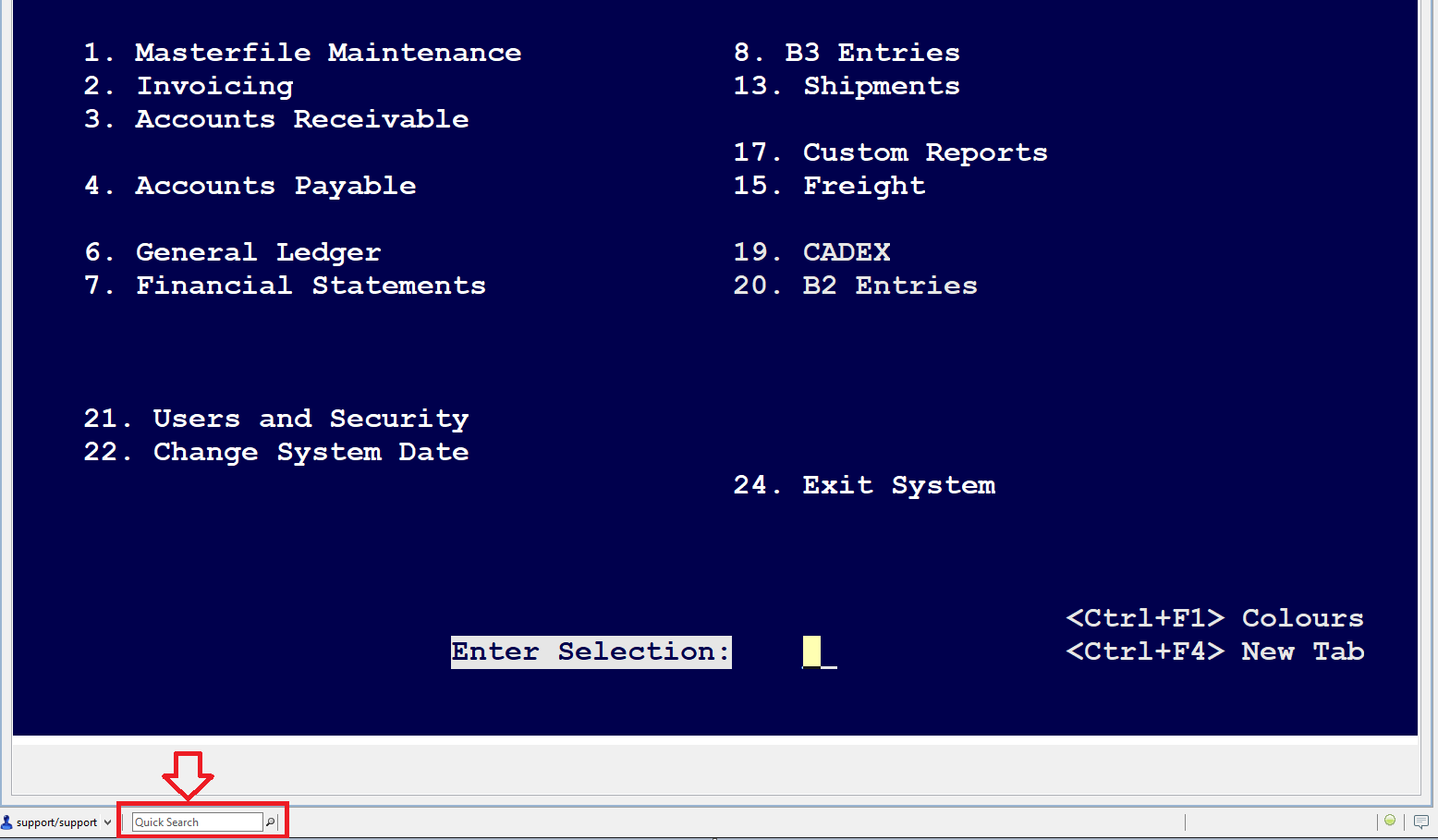
If the user types anything in the Quick Search field will cause the yellow window to pop-up and the suggestions appear based on the typed characters. See below snapshot:
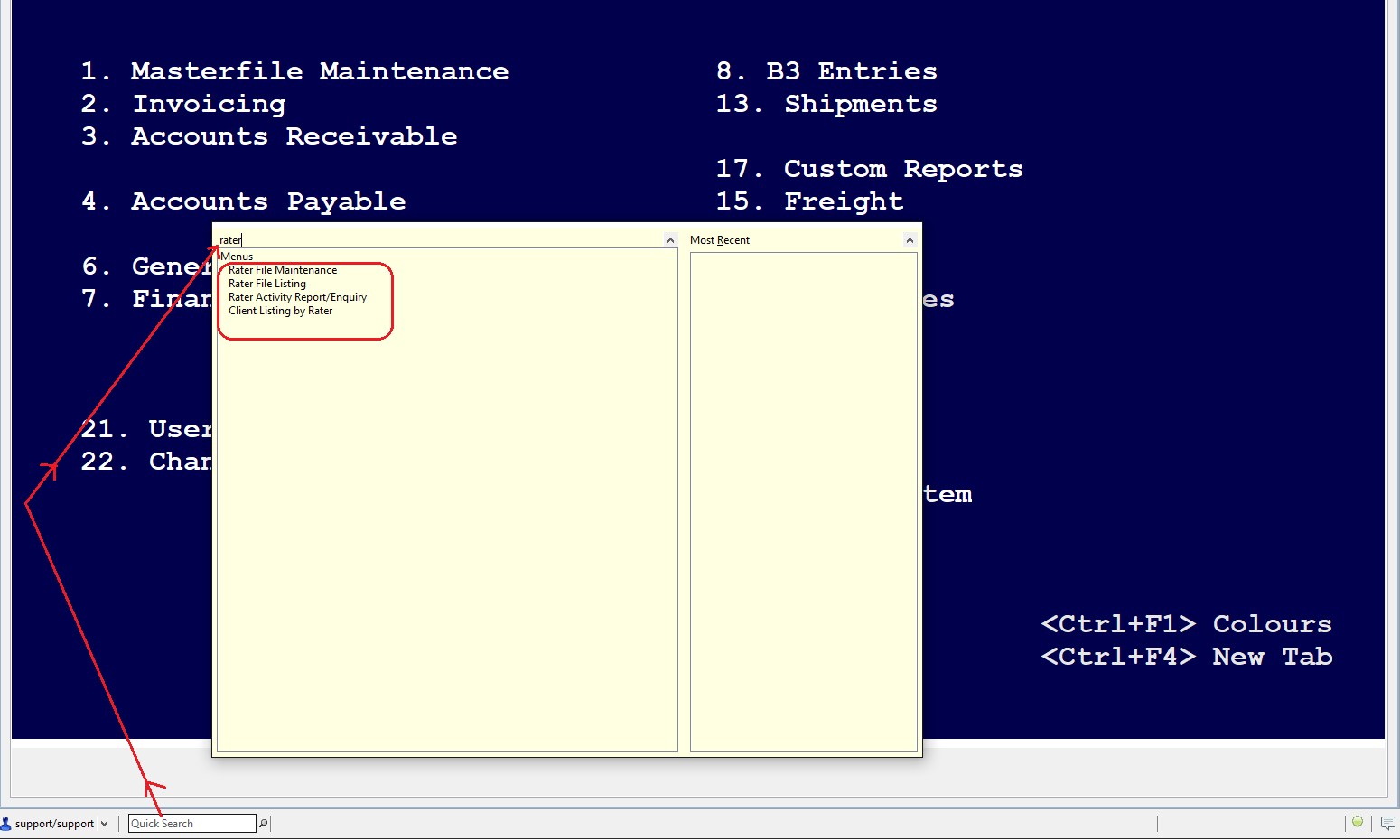
If the user double-clicks on any of the suggestions that appear, it will take the user directly to that screen/menu option. For ex: Double-clicking on the 'Rater file Maintenance' will take the user directly to that screen.
Comments
0 comments
Article is closed for comments.