EDI 820 Payment

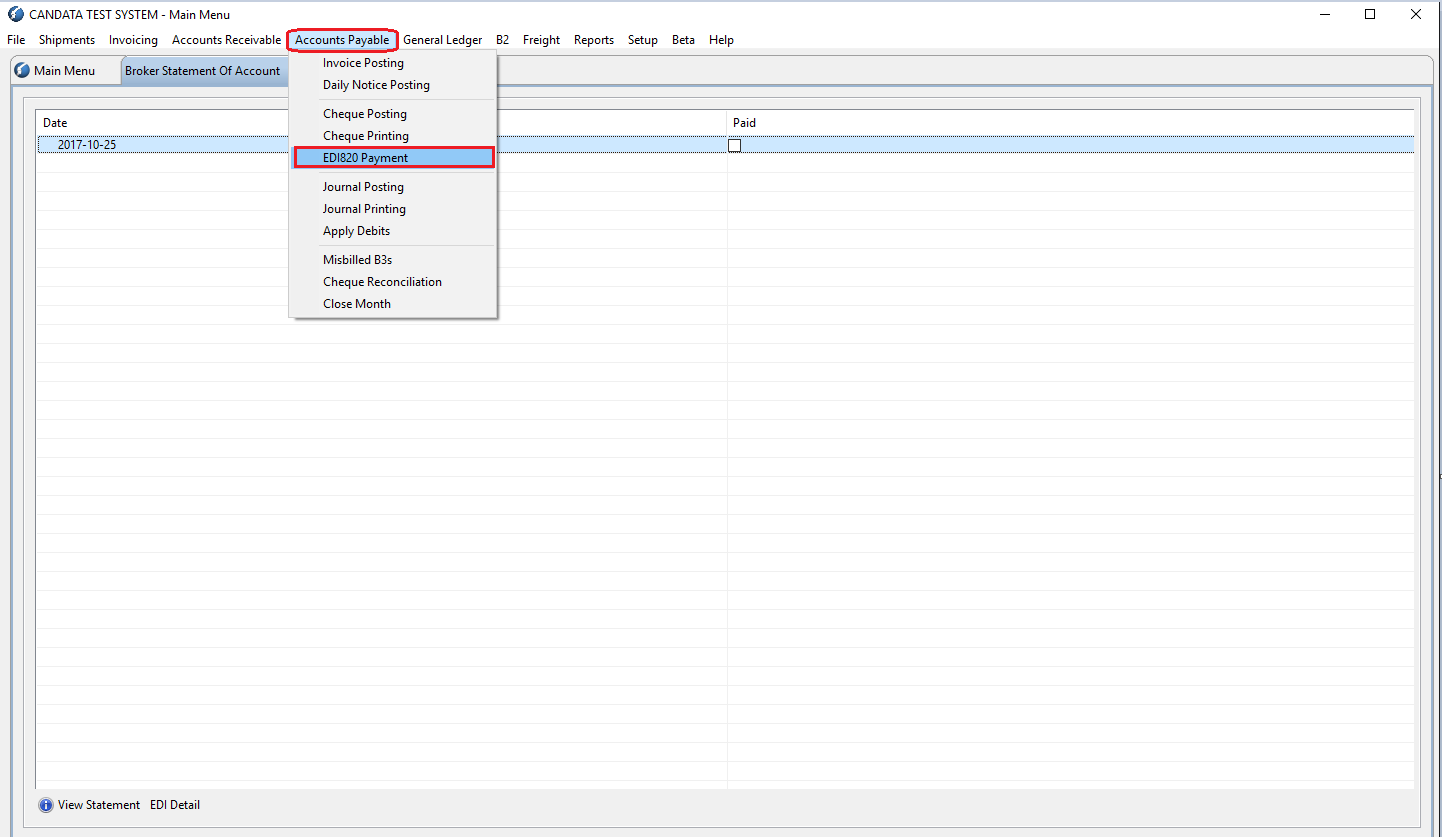
From the top menu go to: Accounts Payable - EDI820 Payment
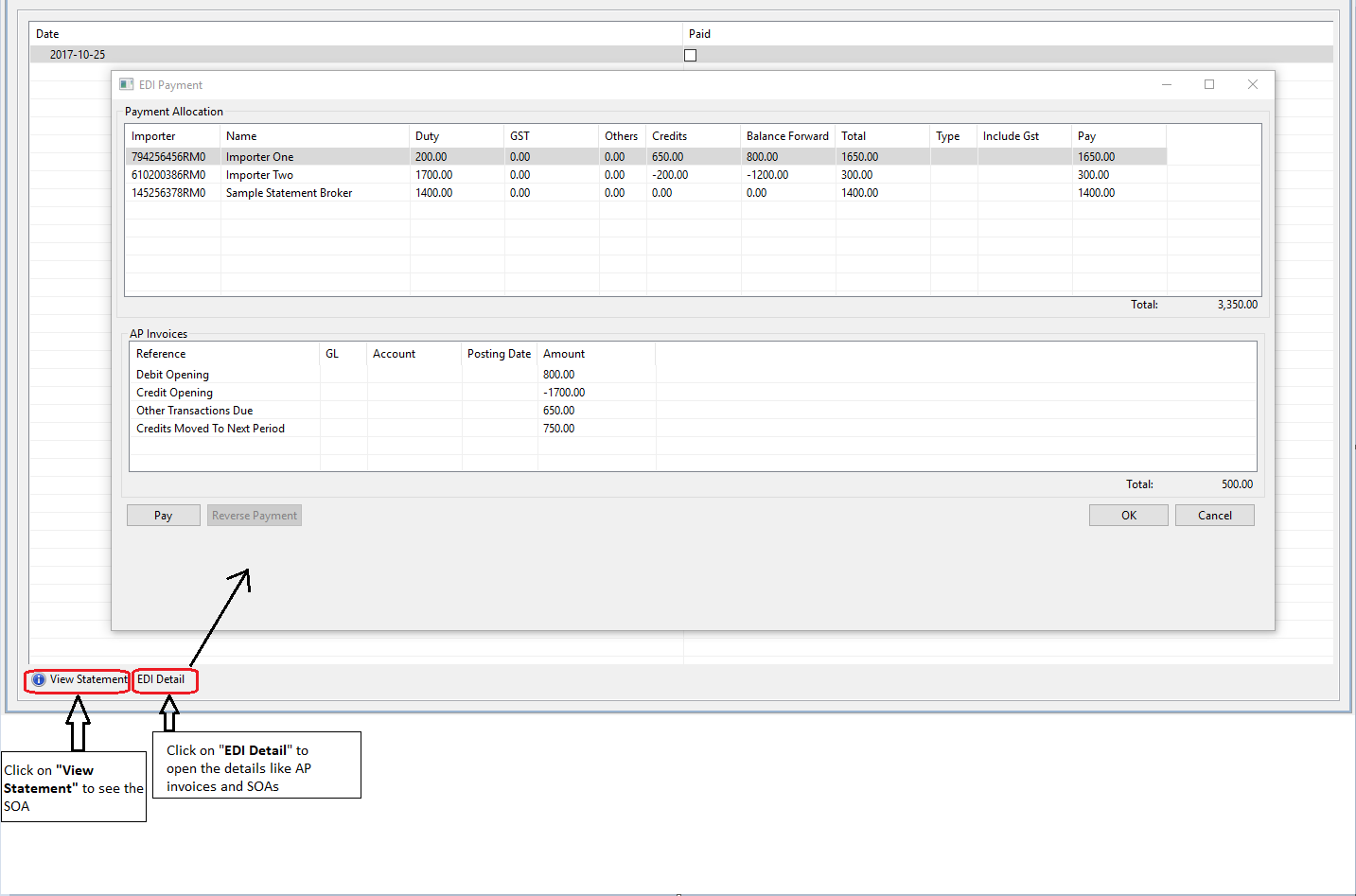
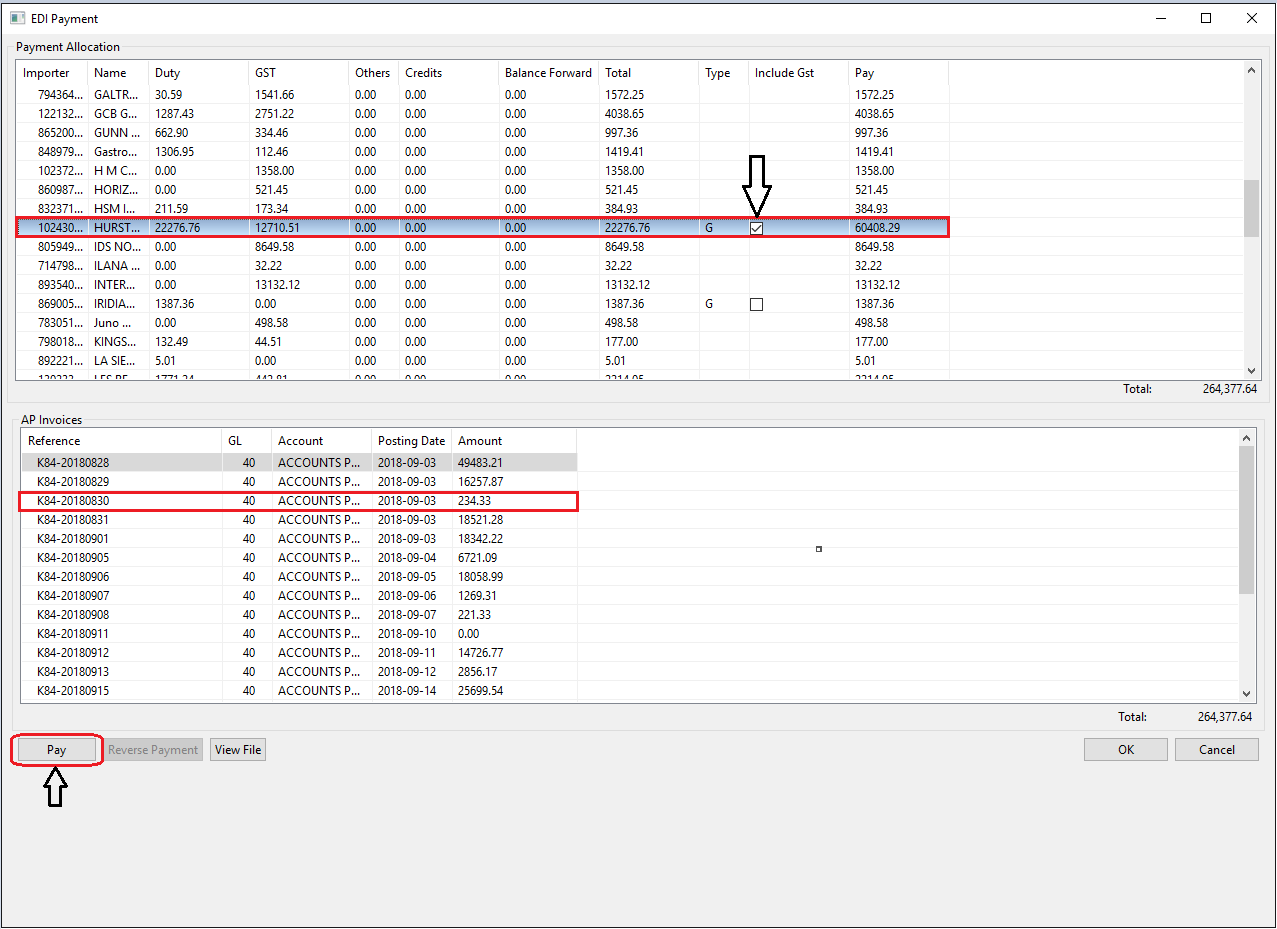
- Select the respective SOA from the Payment Allocation list, and select the respective AP invoice from AP invoices list and click on Pay
- If GST needs to be included as part of the payment, please check off the box under Include GST column
Comments
0 comments
Article is closed for comments.