Shipment Invoice details loading via Excel/CSV spreadsheets

Main Main: (13) Shipments - (1) Shipment Entry
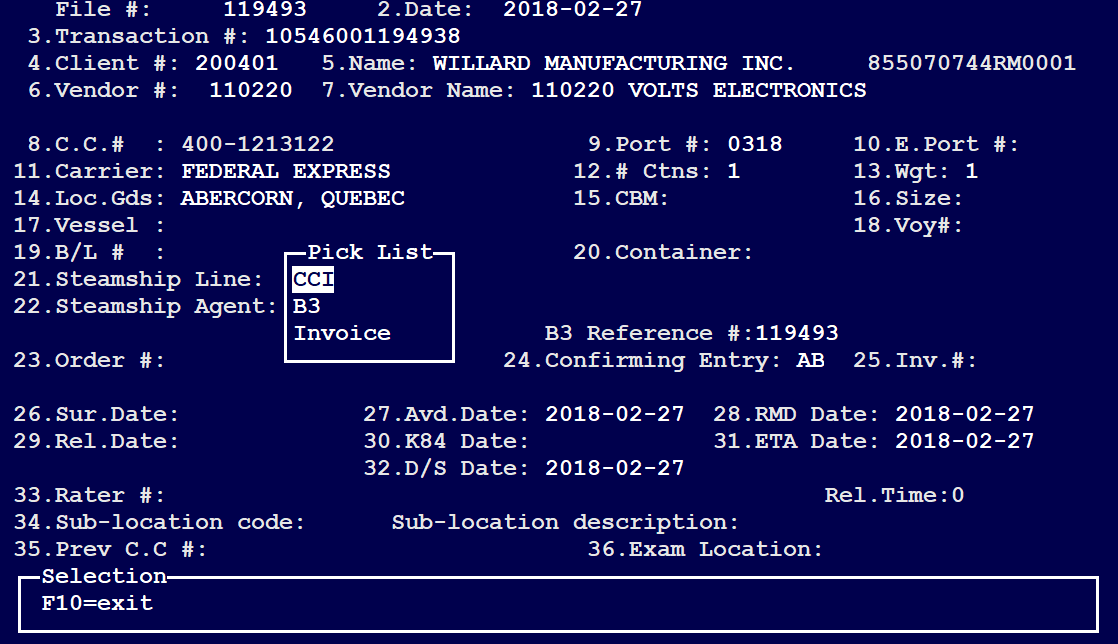
Once a shipment is loaded within the Shipment Entry screen, press on F7 to select 'CCI'
Hit ENTER on "CCI", select the CCI and press on OK/Enter to Load the CCI Entry Screen as per below:
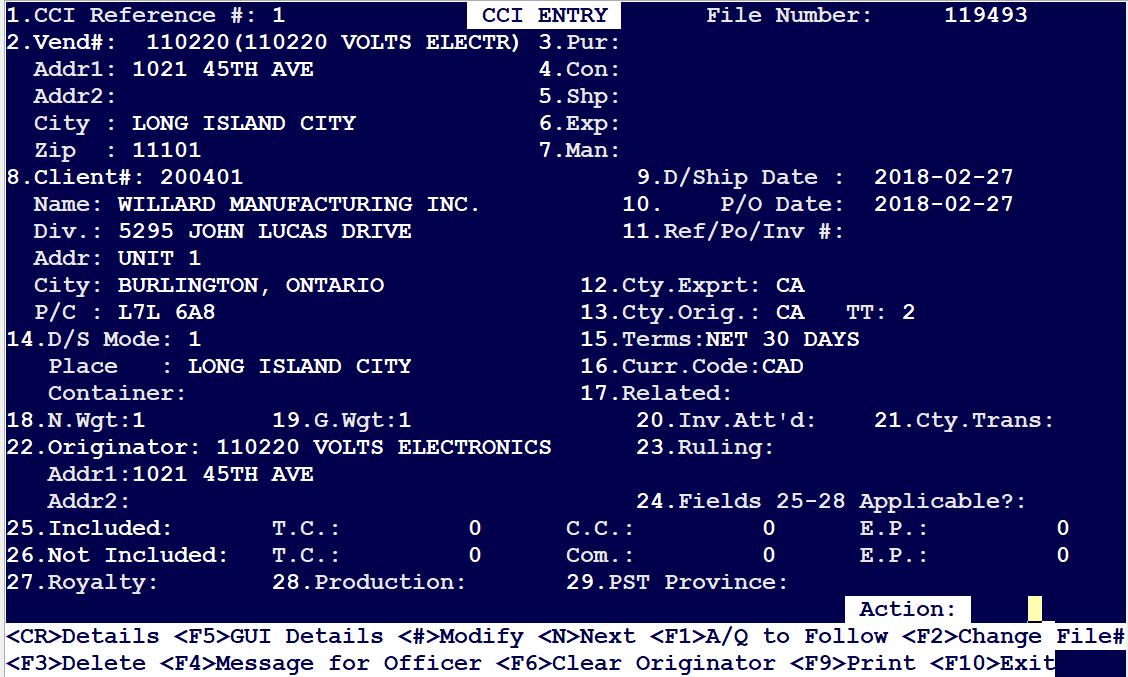
Press on F5 <GUI Details> to launch the CCI Detail Entry screen as per below:
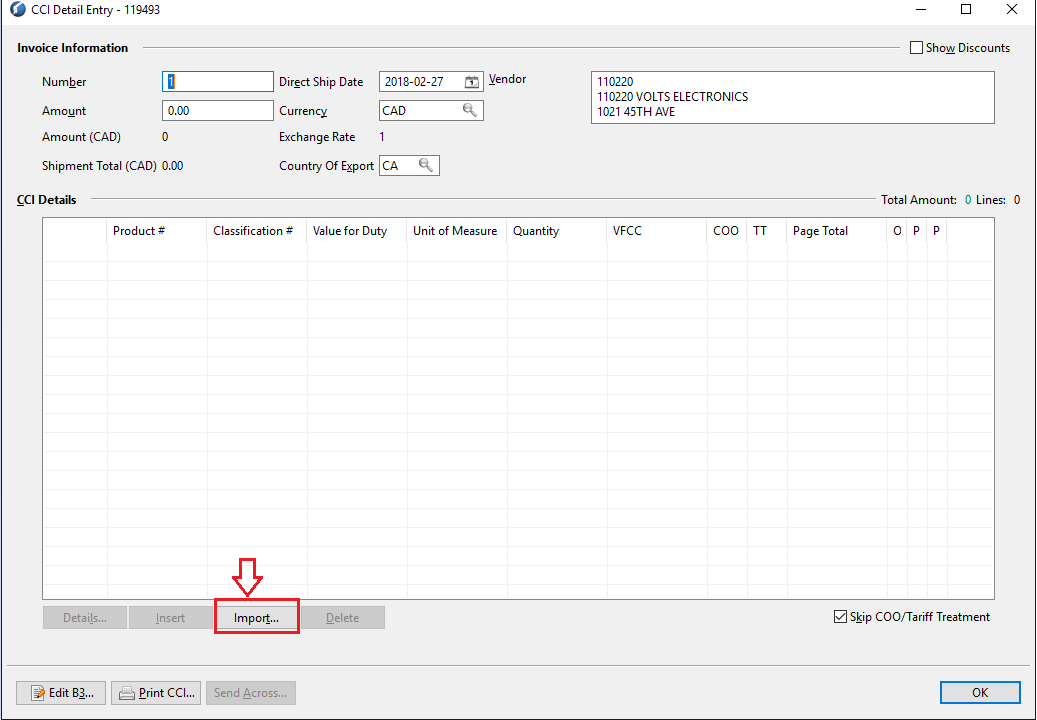
Click on "Import" to import a CSV file/spreadsheet with products/CCI data into the system
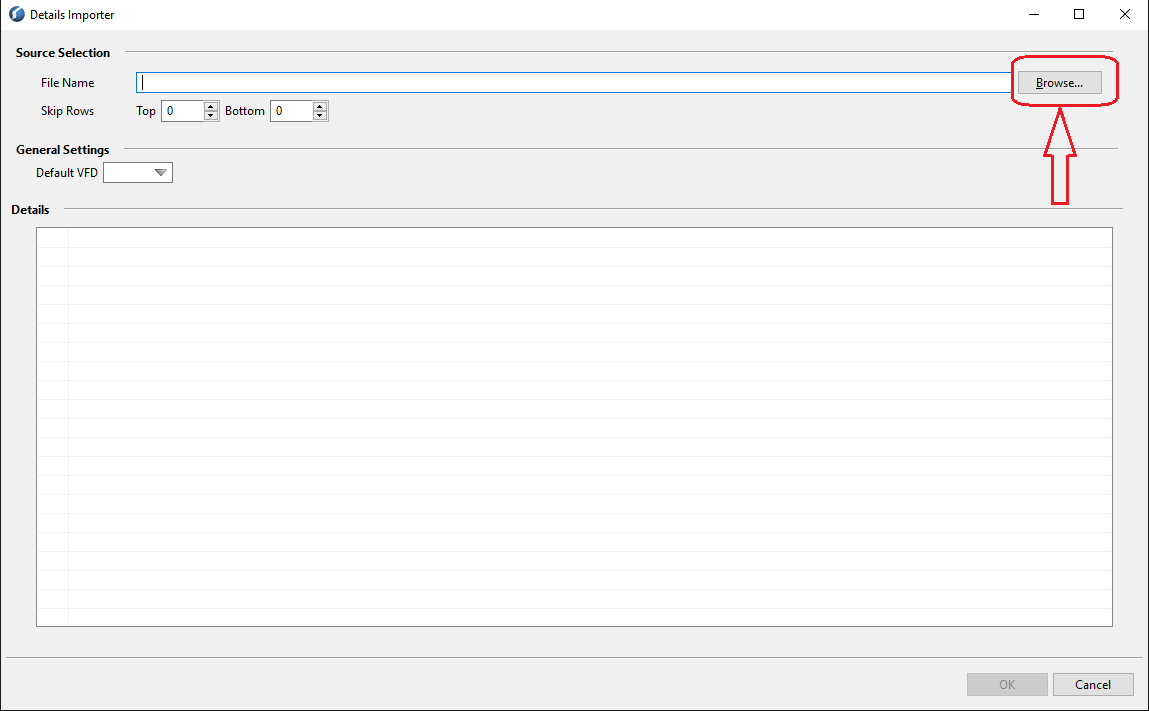
Click on "Browse" to browse to the spreadsheet(wherever it is stored on the computer) to be imported
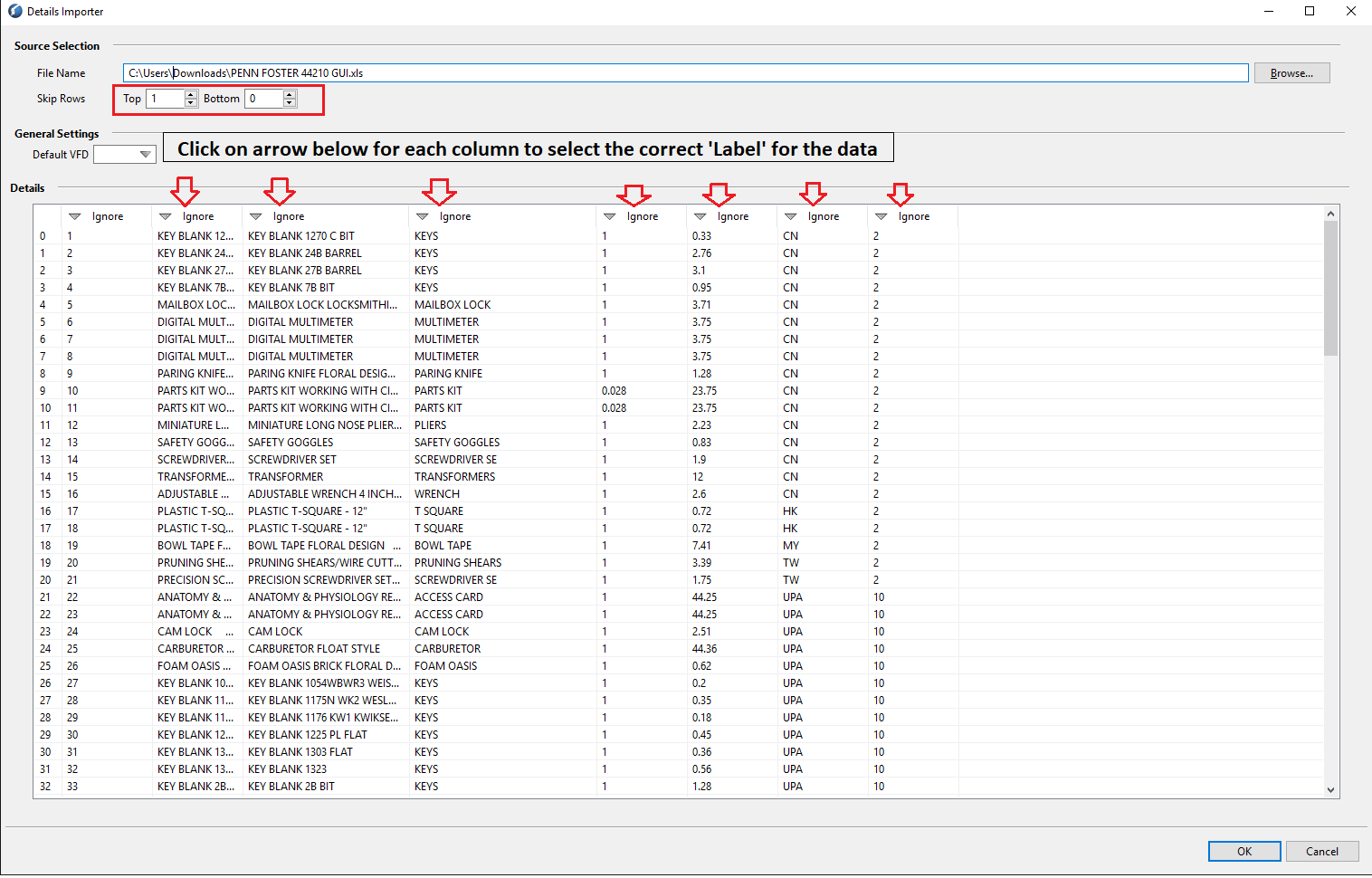
Once the data is loaded from the spreadsheet, you can choose to "Skip" the TOP/Bottom ROWS if the data which is loaded from the spreadsheet is irrelevant
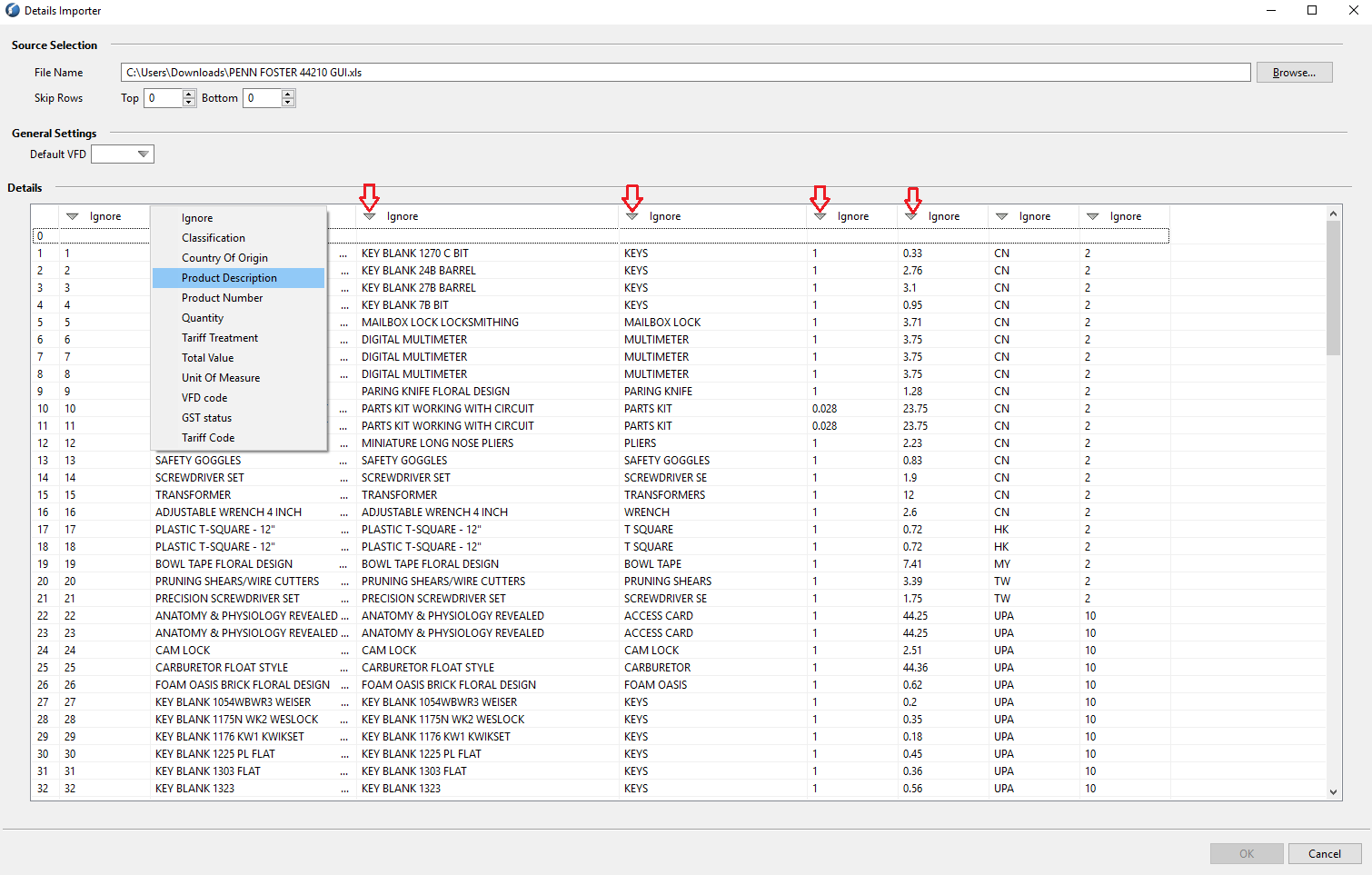
Also please click on those ARROWS on the top for each column to select the correct LABEL for the data.
Once the Column-Heading LABELS are properly selected, it would look like the following: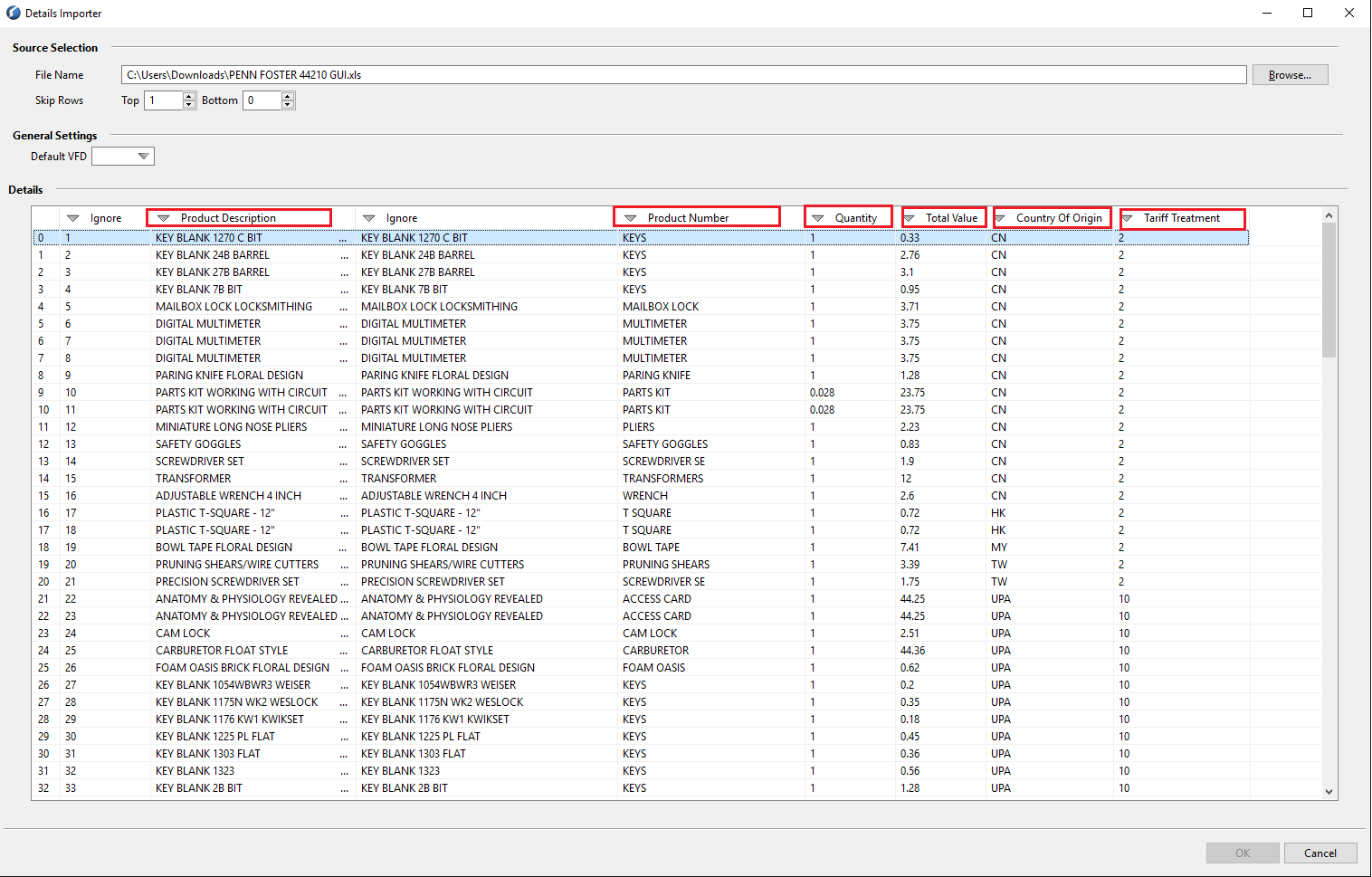
Click on "OK" on the bottom right hand corner to import the DATA.
Comments
0 comments
Article is closed for comments.