ACROSS/IID Raw Message

Step 1:
CBSA reject messages appears as the following example:
SEGMENTIMDLINE180ELE POS6,0TOO MANY ELEMSEGMENTIMDLINE180ELE
POS7,2TOO MANY ELEMSEGMENTUNS- BYTE OFFSET3837MAND SEG
MISSINGSEGMENTQTY- BYTE OFFSET3837SEG NOT IN PROPOER
SEQSEGMENTUNS- BYTE OFFSET3852MAND SEG MISSING
If you see the highlighted message above, it points to:
SEGMENT: IMD
Line # 180
Step 2:
Go to Main Menu: CADEX - CBSA Message Summary and double click on the “ACROSS” Outbound entry, click on Raw Message and click on Format to view the message and line numbers
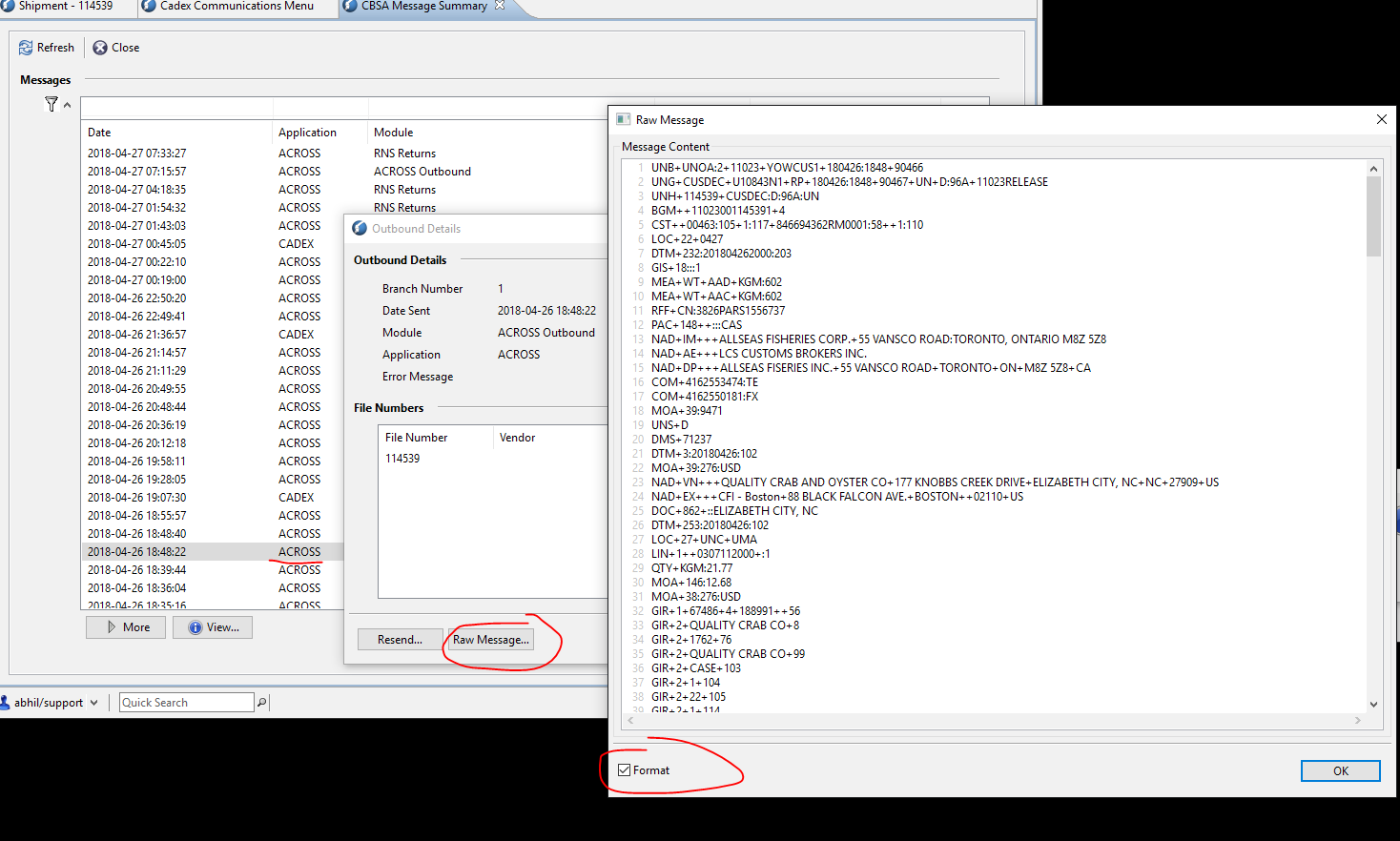
Please NOTE:
The first 3 lines of the Raw message are redundant and they shouldn’t be taken into consideration.
The 4th line of the Raw Message is technically the Line # 1.
Therefore in this example, the above REJECT message, Line # 180 would be 180 + 3 ~ Line # 183
Line # 183:
|
IMD+++TRDESC:::FRESH BLACK SEA BASS GUTTED TSN 167:687CENTROPRISTIS STRIATA |
So the line # 183 above points to a description of one of the CCI lines/products.
One has to go through the entire CCIs and investigate which Line #/ Product has the above, and fix it accordingly.
Comments
0 comments
Article is closed for comments.