General Ledger

1.) How to create a new account on General Ledger:
> Main Menu - General Ledger (6) or alternatively from the Top menu: General Ledger - Accounts
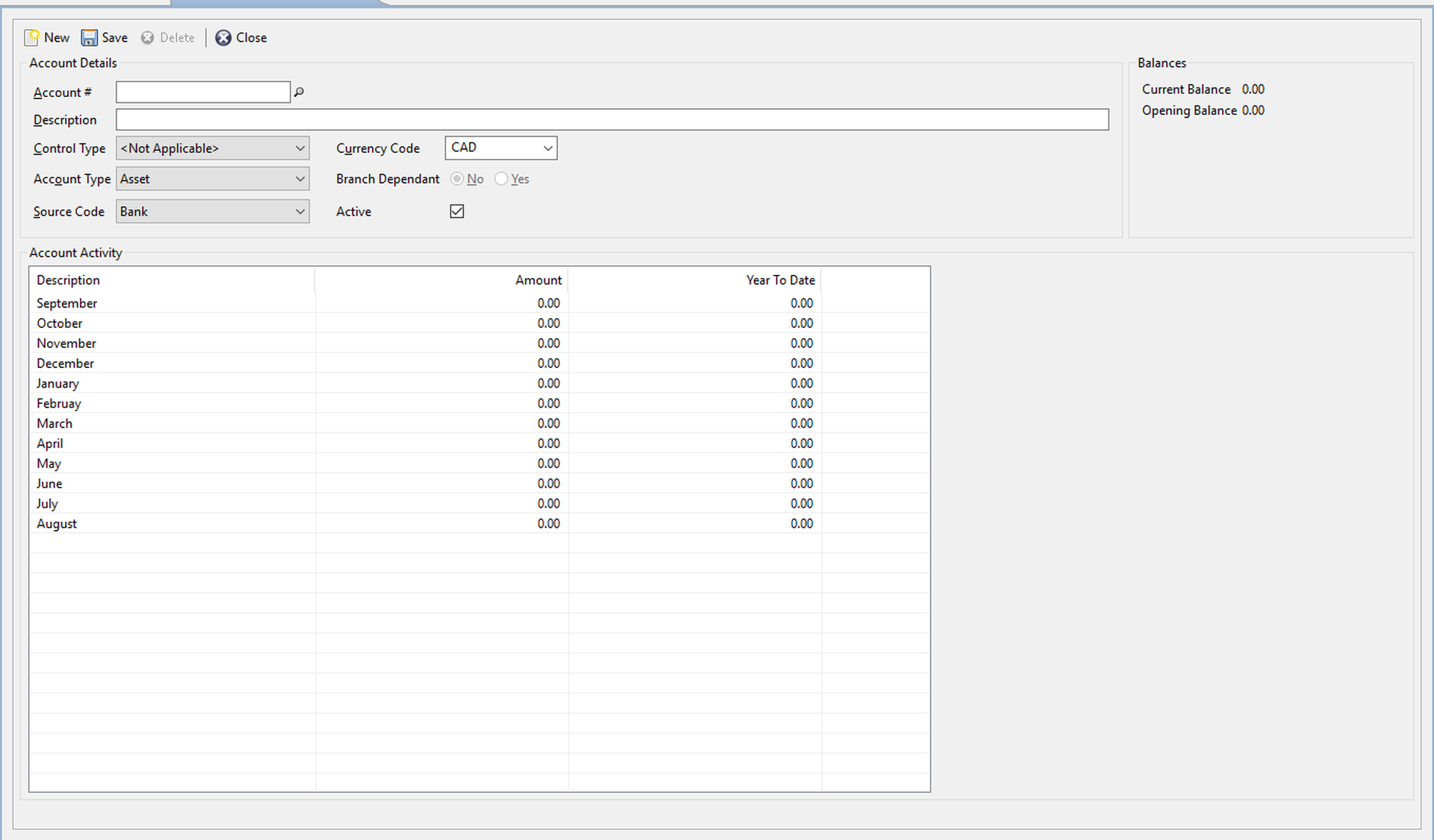
- Click on New to create a new GL account.
- Provide an Account # and Description
- Set Control Type: File, Vendor & Client. When doing journal entry adjustments this control type must be provided to this GL account as specified above
- Set Account Type: Asset, Liability, Revenue & Expense
- Set Source Code: Receivable, Payable, Bank, Clearing & Retained Earnings
Click on Save to save the GL account.
2.) How to add a General Ledger Journal Entry:
> Main Menu - General Ledger (6) - General Ledger Journal Entry (5) or from the Top menu: General Ledger - Journal Entry
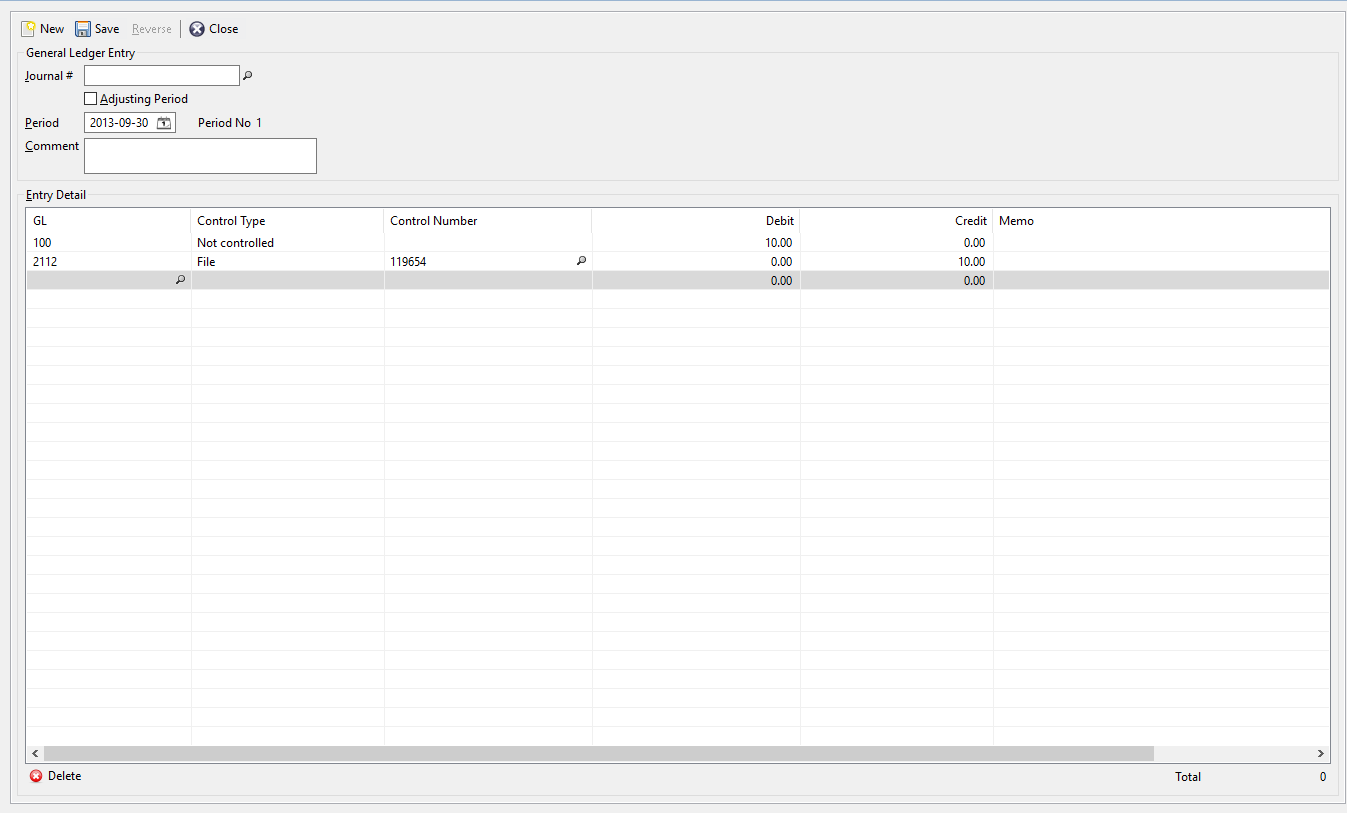
- Click on New to create a new journal entry
- Input the correct Period
- Provide a comment if necessary (optional)
- Input your GLs and your adjustment. For GLs with a Control Type in place, please provide the respective control number - File, vendor or client
3.) How to see General Ledger Trial balance:
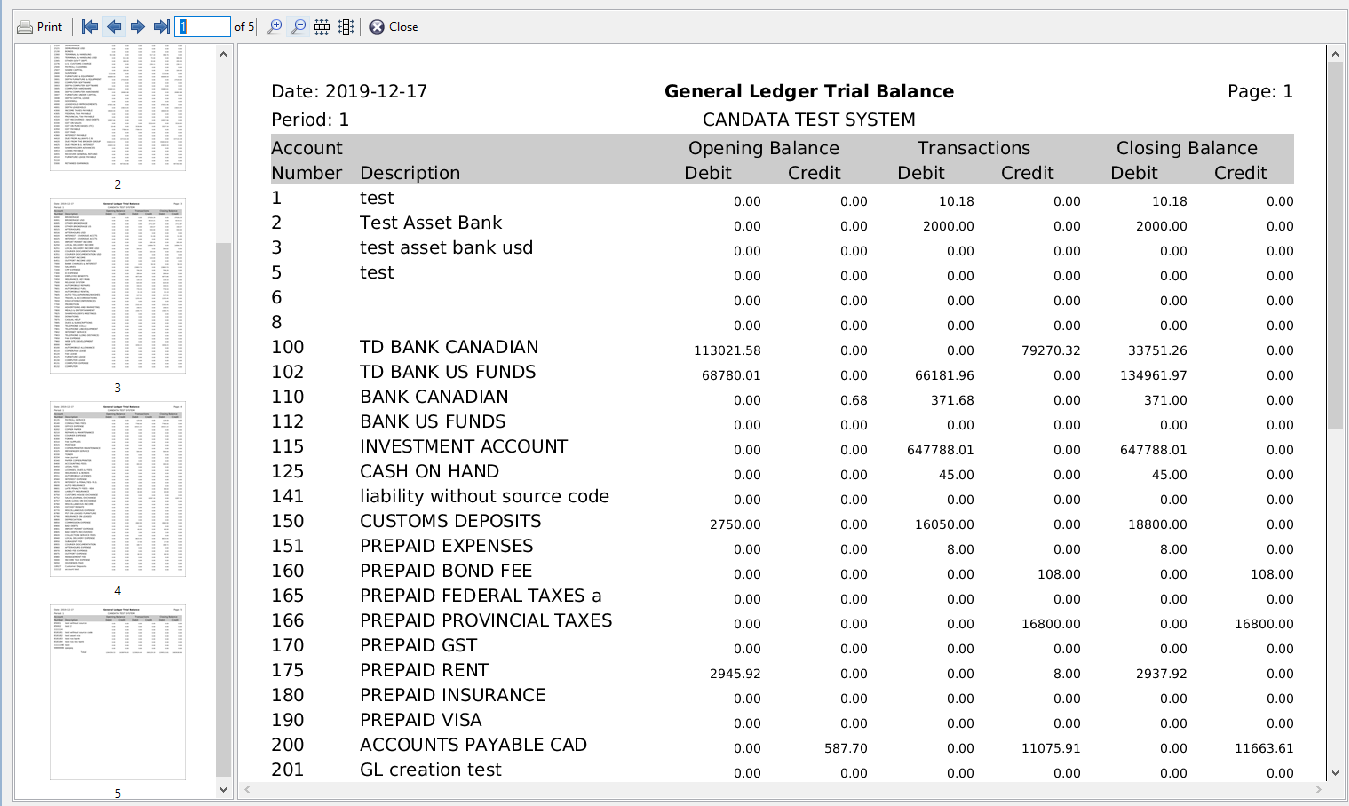
> Main Menu - General Ledger (6) - General Ledger Trial Balance (8) or from the Top menu: Reports - General Ledger - Trial Balance
Comments
0 comments
Article is closed for comments.