When doing courier LVS consolidation a file number does not appear in the list. Or a file does not show up in the LVS report.

While doing the courier consolidated LVS, when the file number does not appear on the list
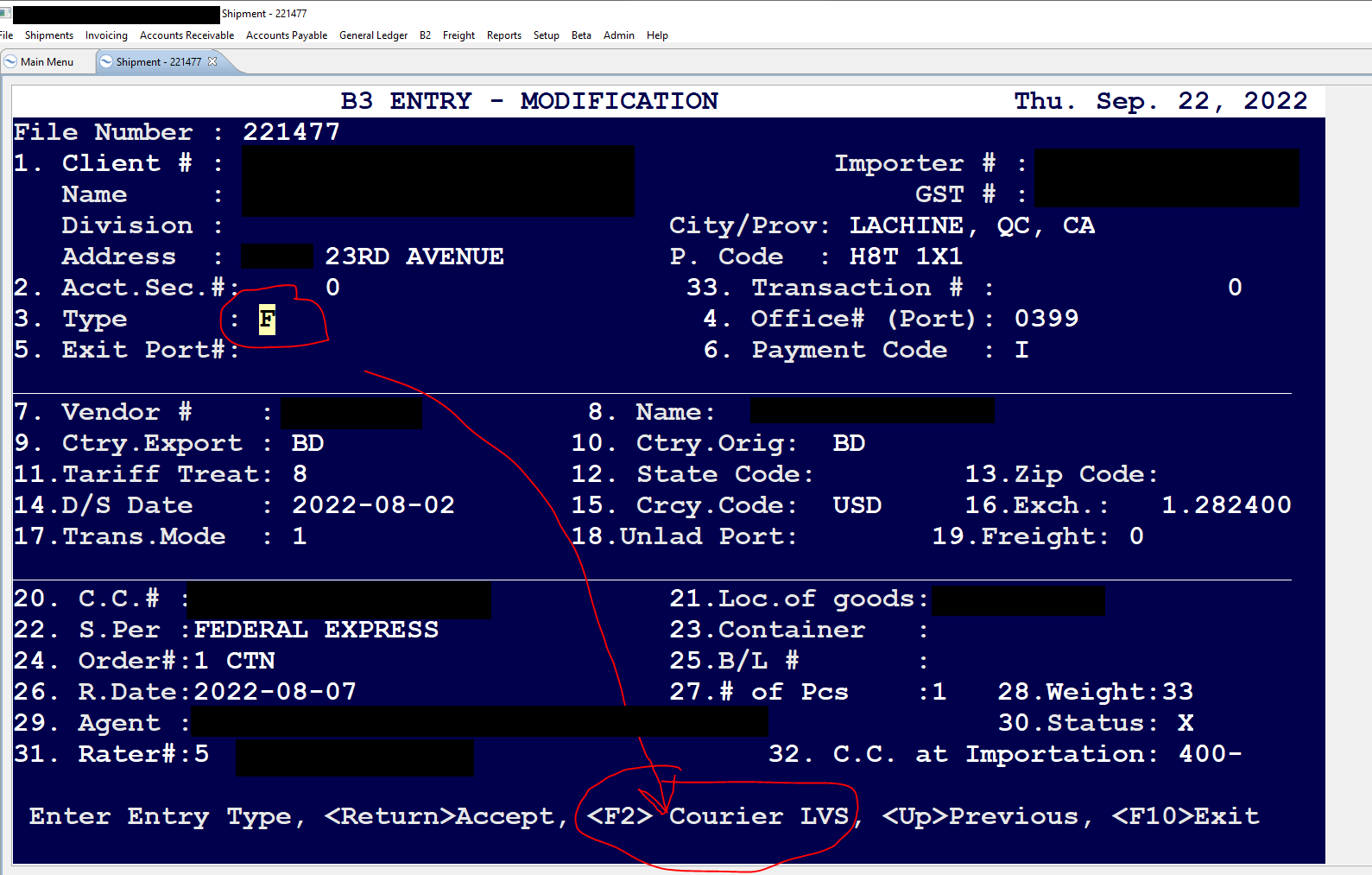
Please ensure that the B3 is set to both F-Type, and the B3 is further set as COURIER LVS.
On the B3 screen, update Field 3 (Type) Courier LVS, using F2 on the B3, as shown.
Comments
0 comments
Article is closed for comments.