How to re-open a closed invoice/expense

Problem:
An invoice/expense is closed. You want to re-open the invoice.
Solution:
Here are the steps to perform...
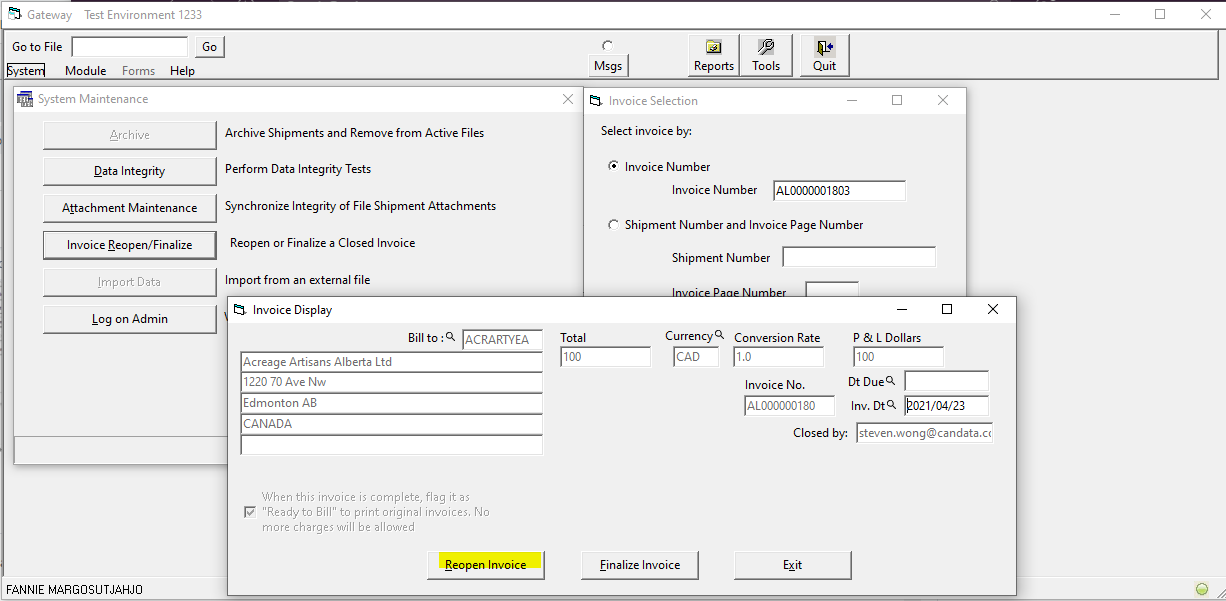
Go to the MAIN screen of Gateway first and select System > System Maintenance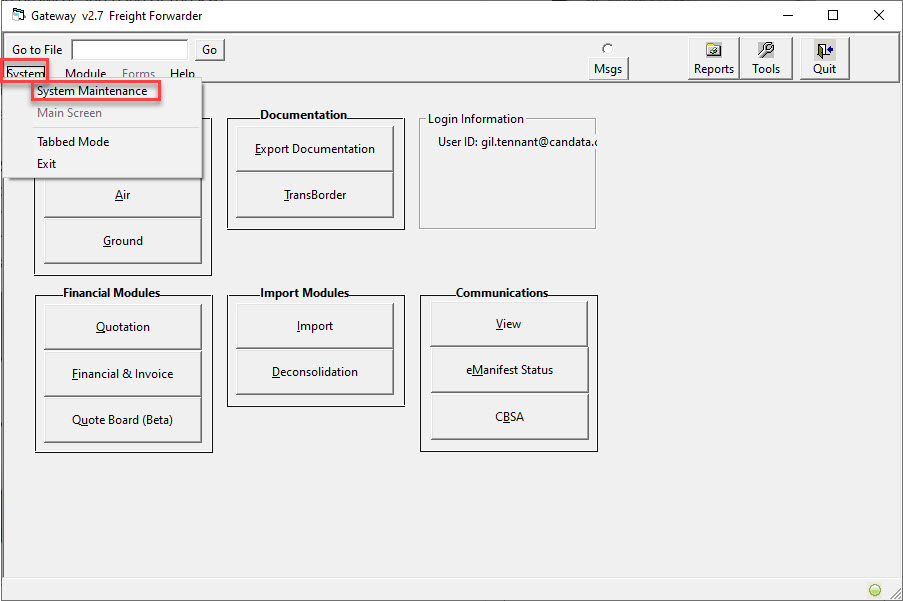
If you are asked for a password enter the password you had previously set up
Otherwise password is blank and just press ENTER (leave blank).
Here is the closed invoice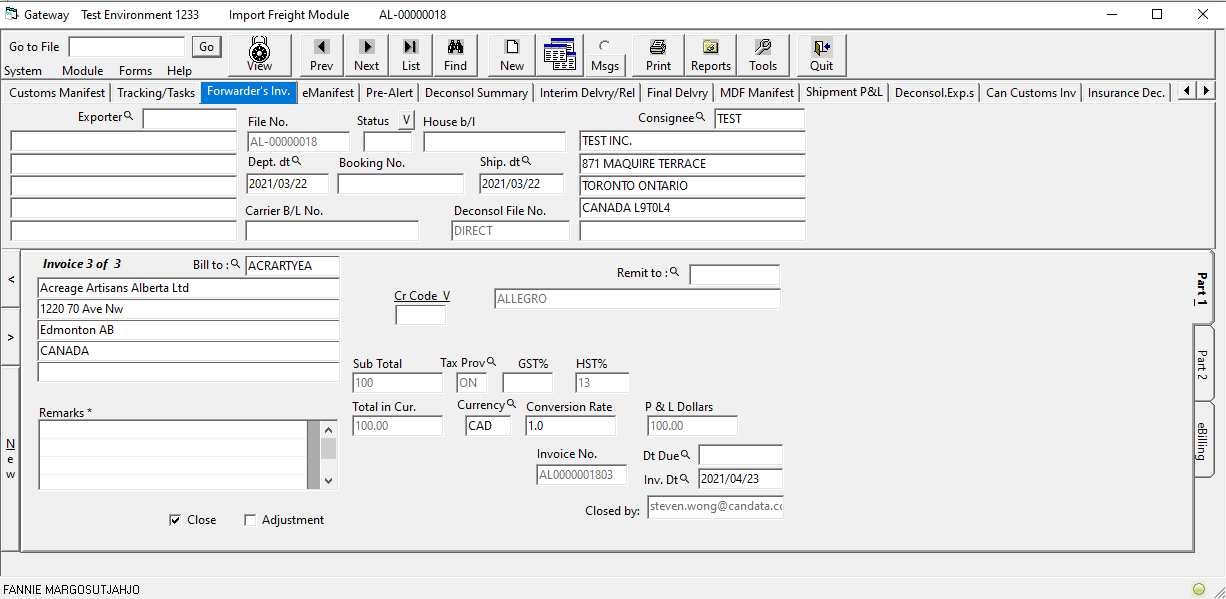
Back to main menu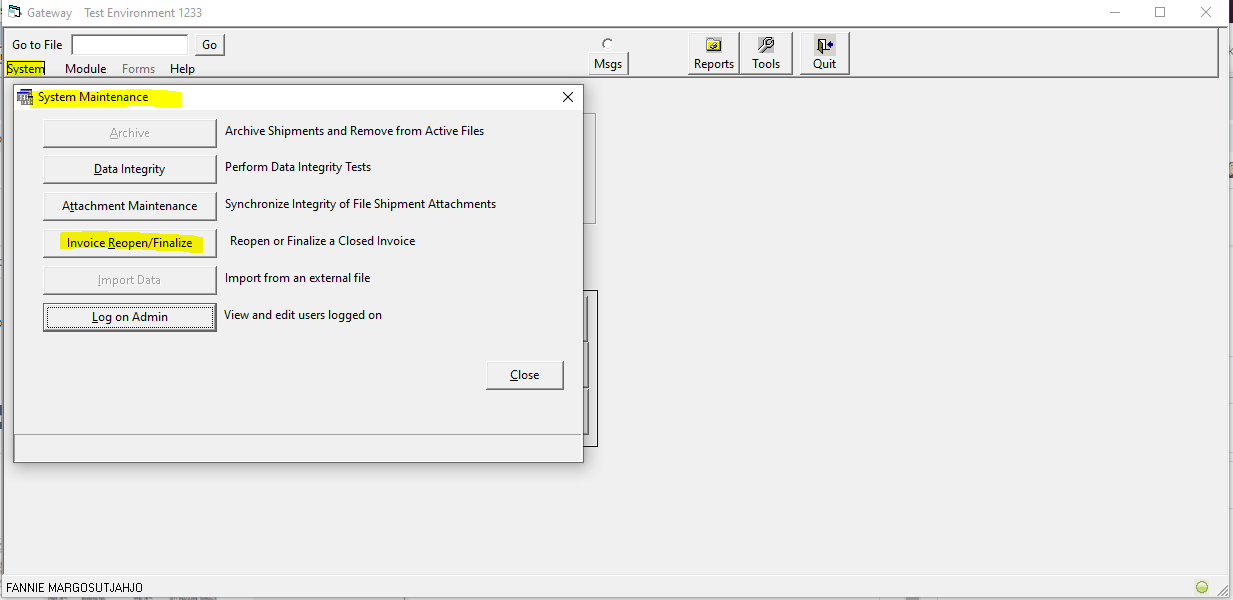
Input the invoice number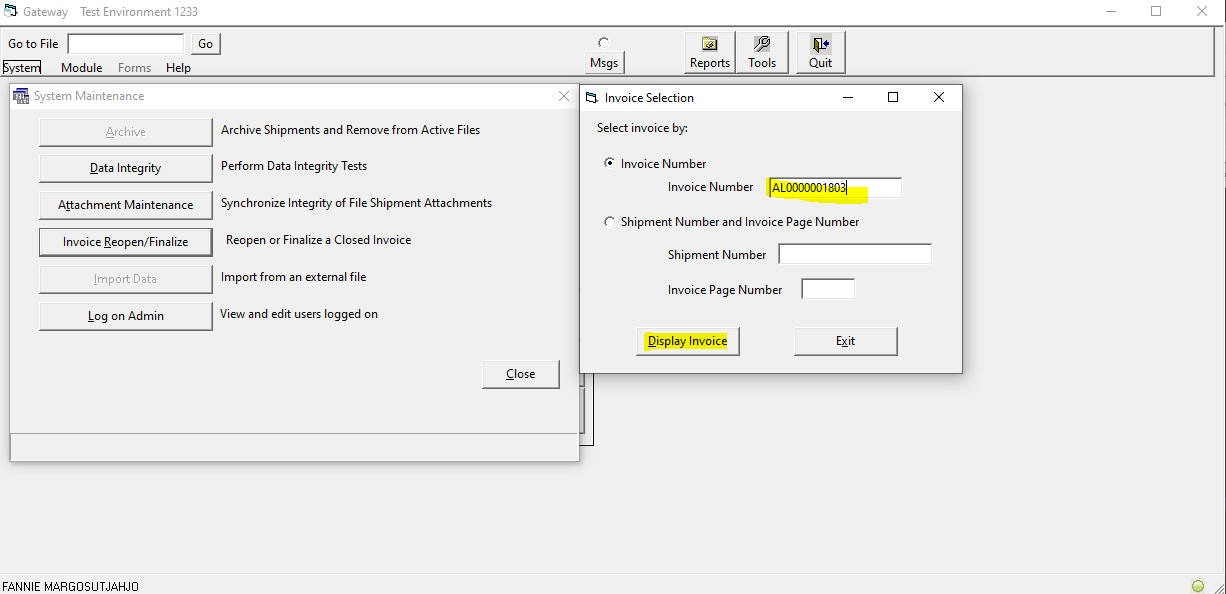
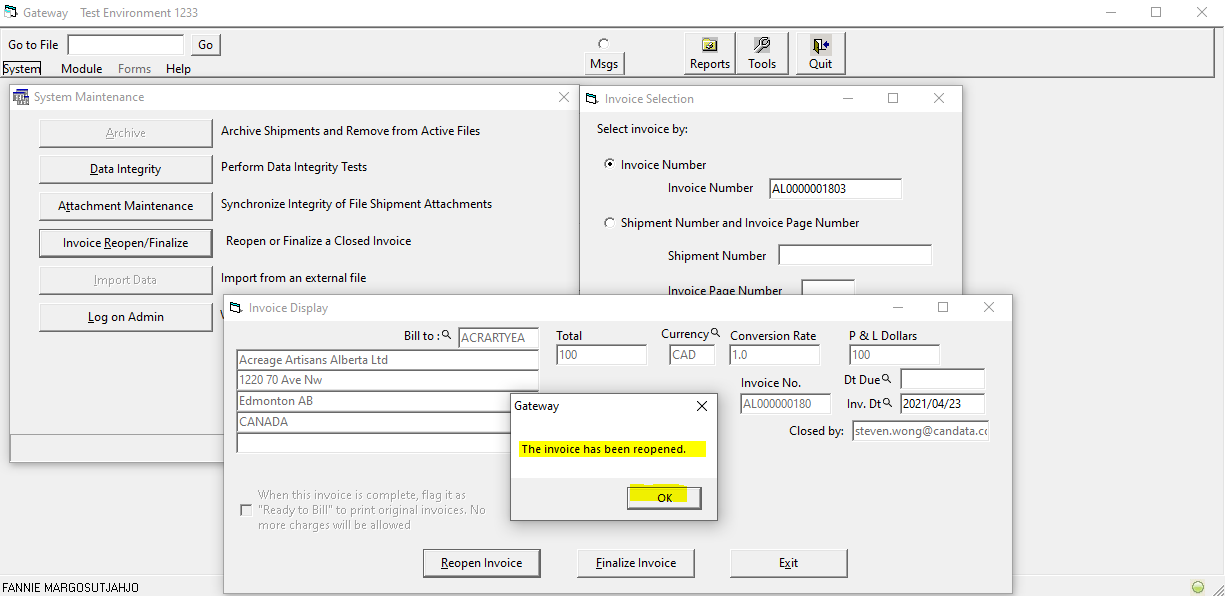
Back to the invoice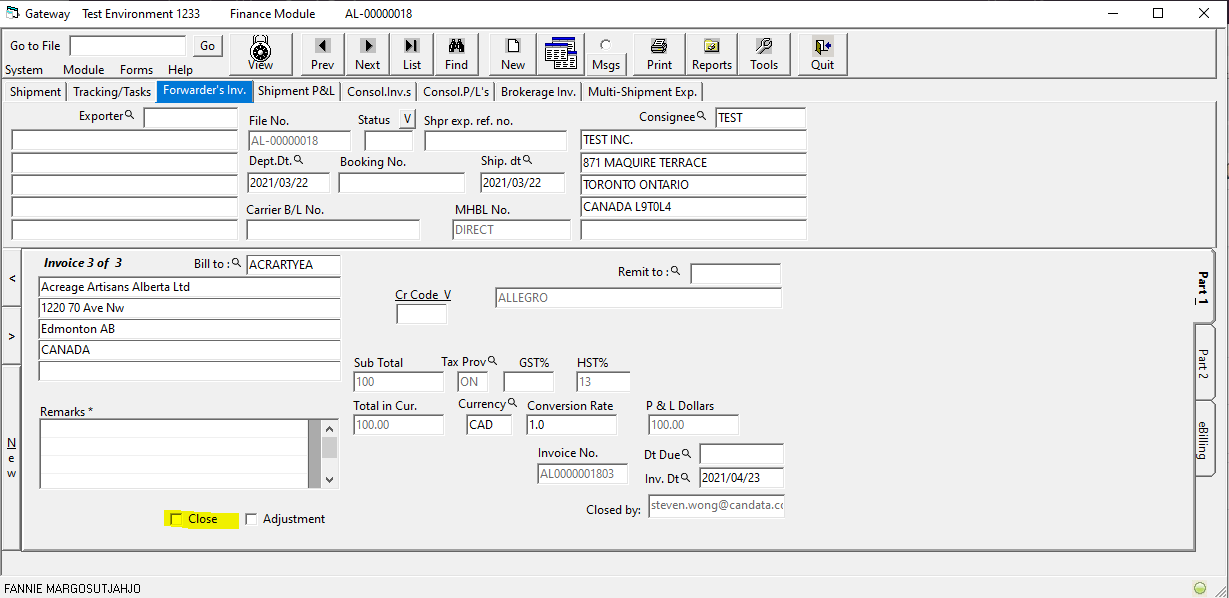
The invoice is opened now
Comments
0 comments
Please sign in to leave a comment.