Blanket B2 Creation

Main Menu: B2 Entries (20) - B2 Entry (10)
Press on ENTER to go into the Original B3 Ref. # Field and that will enable the option at the bottom of the screen <F2> Blanket
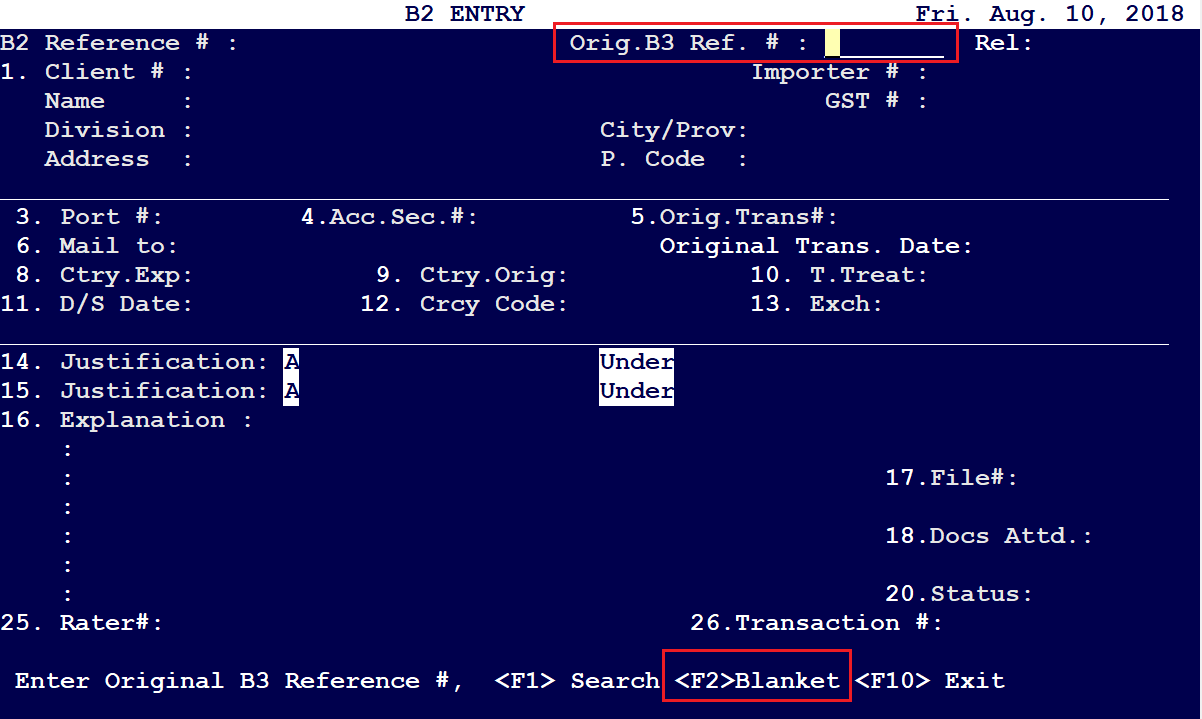
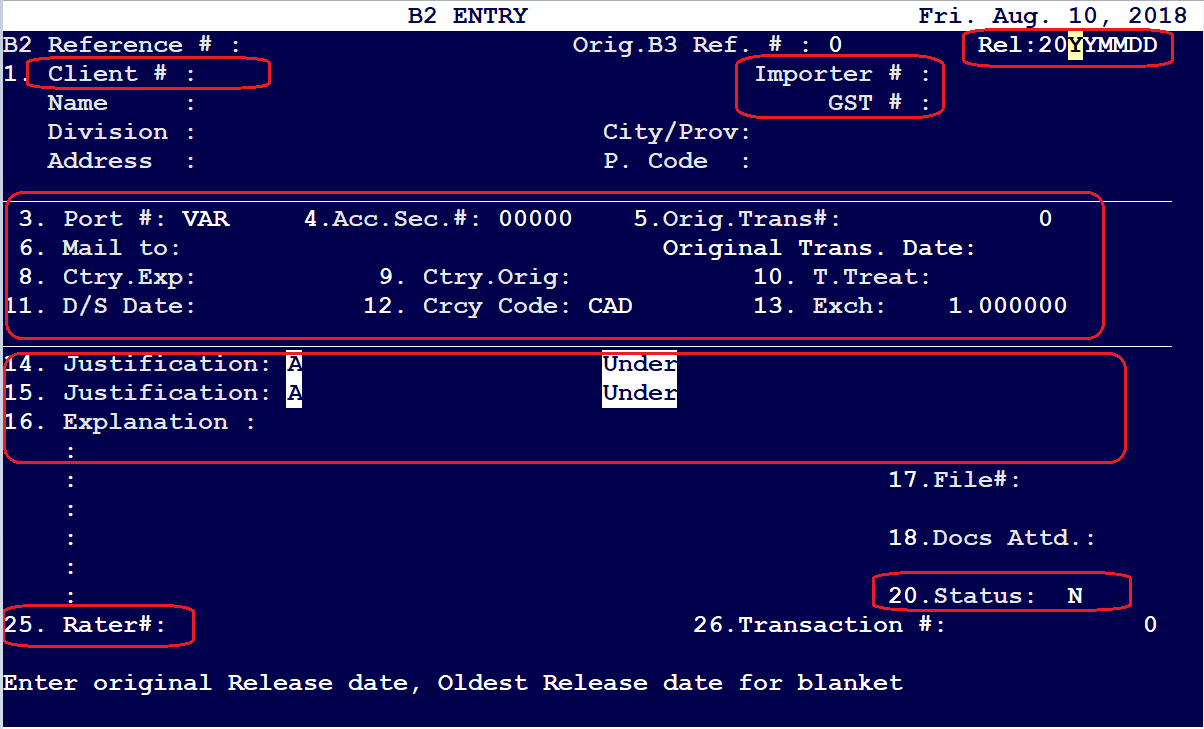
Press on <F2> to ENABLE Blanket B2 mode, and then enter the details for the following fields as per below:
On the next screen, press on '1' and hit return, you will be presented with the following options:
1) New
2) Accounted (Original B3 data, which was accounted for and already acquitted)
3) Claimed (The claimed values should be entered here)
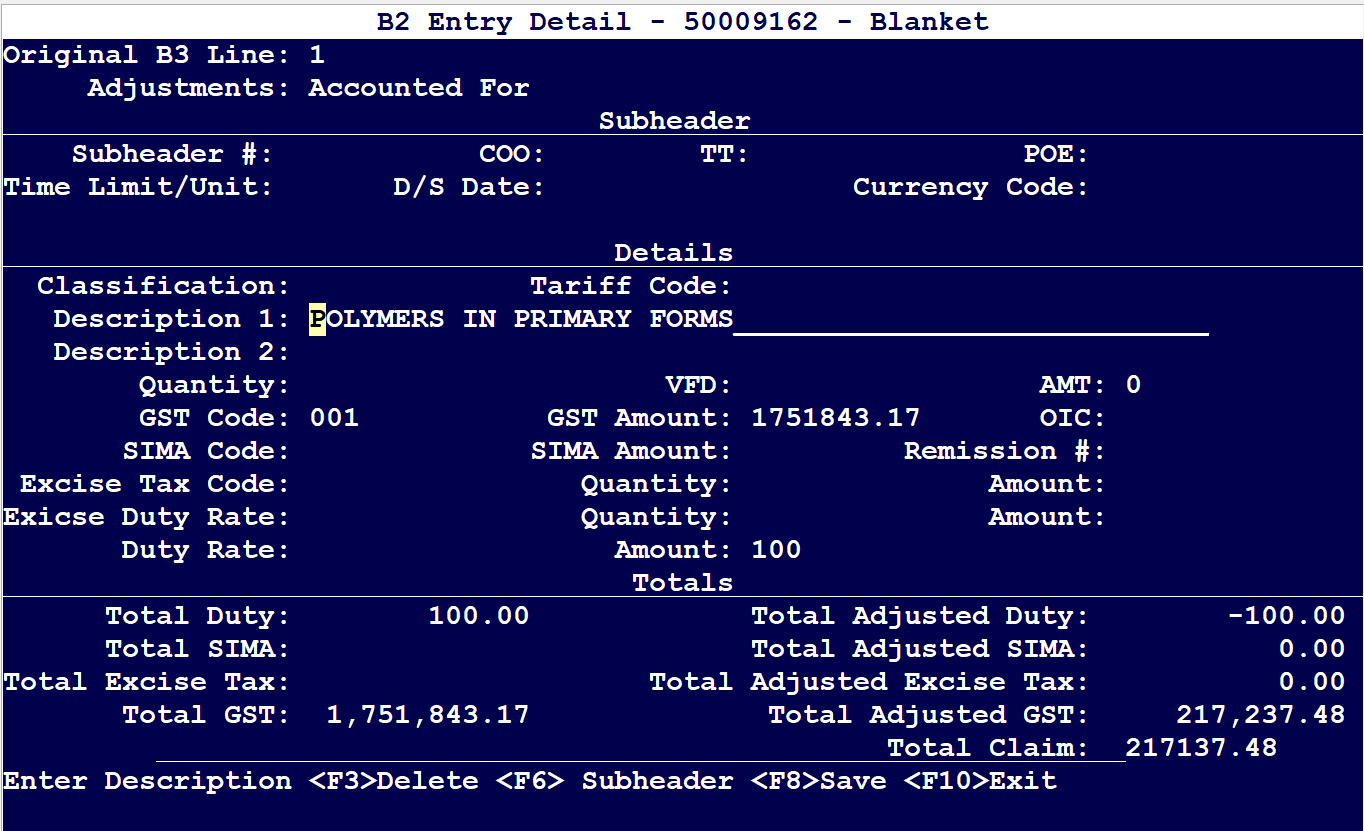
In order to access the "Claimed" option, press on "F10" and select 'Claimed' and modify the values of interest as per below:
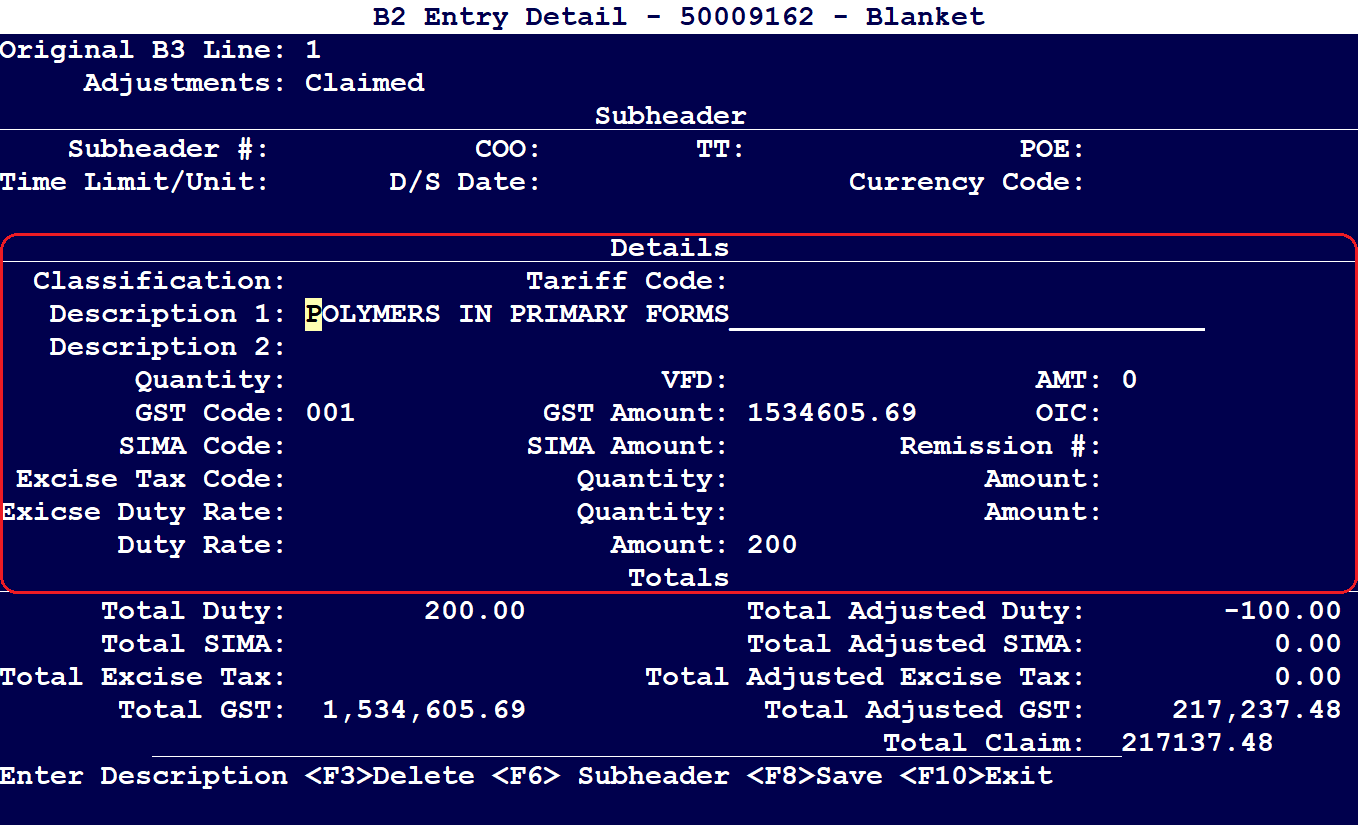
Once the adjustment is done, press on <F8> to SAVE.
Comments
0 comments
Article is closed for comments.