Exporting B3s, Export B3s

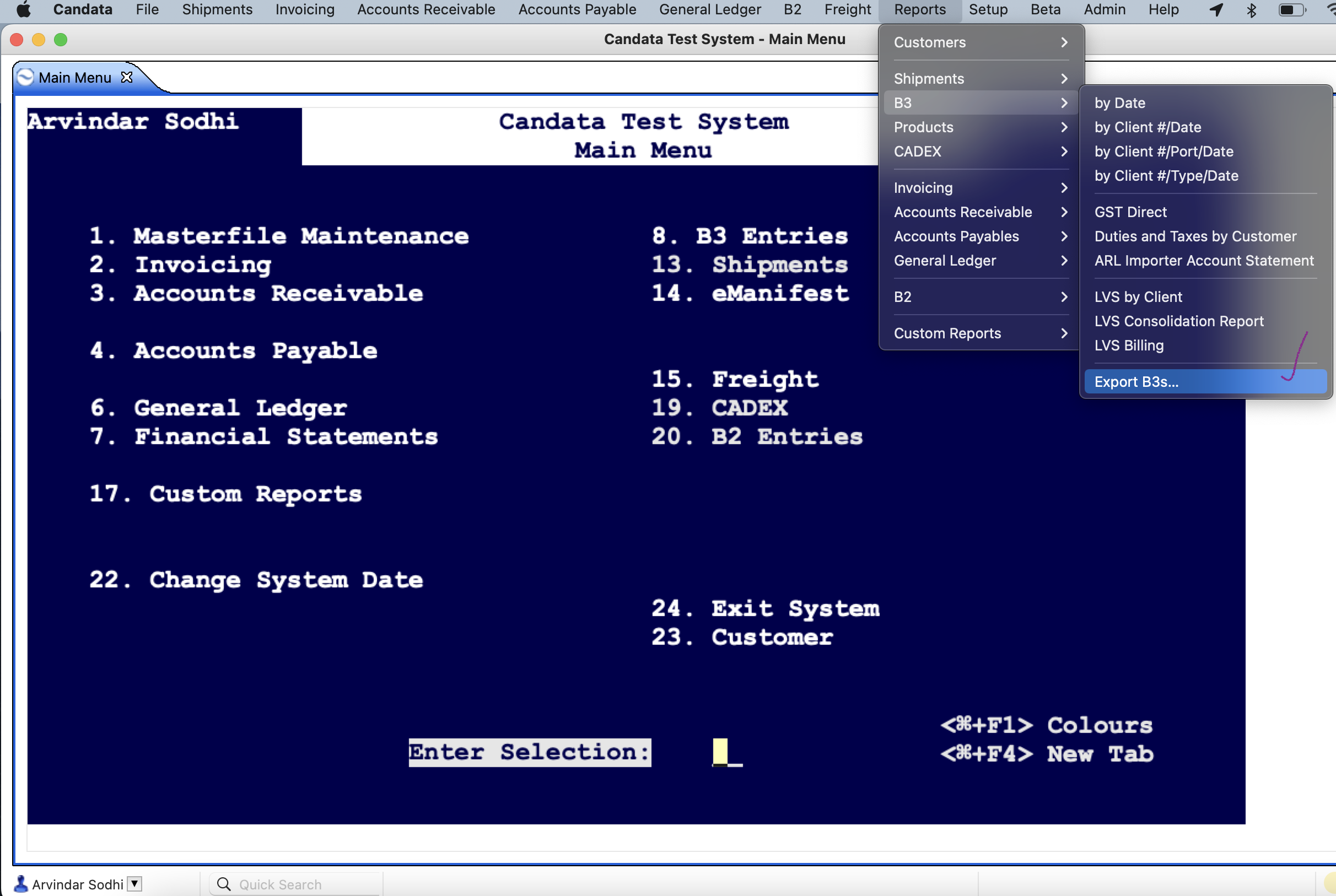
To export B3, you can go to the top Menu -
Reports >> B3 >> Export B3s
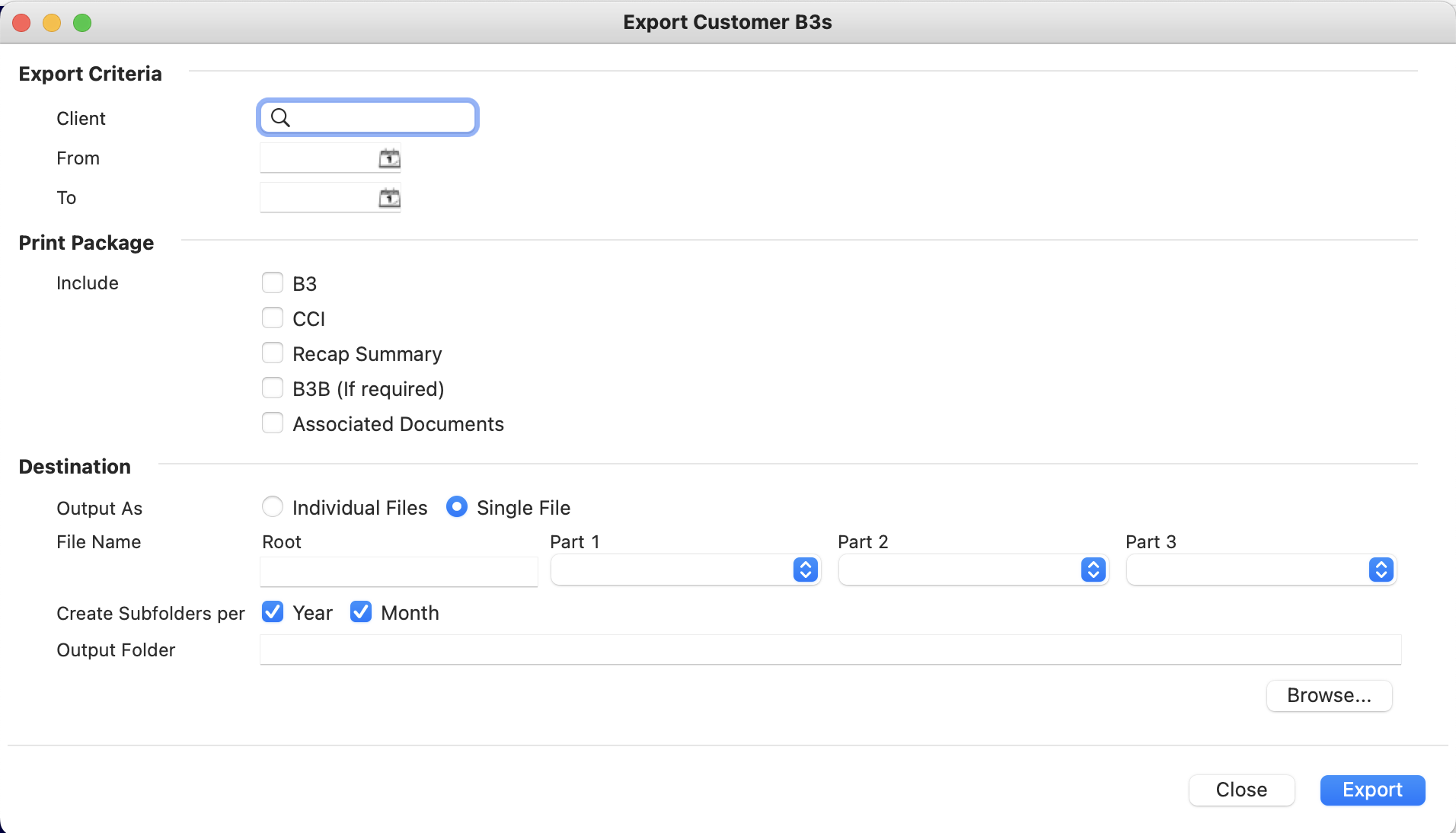
Description of Export B3 Report
Export Criteria
- Client- Enter Client # or press F1 to search or click on the magnifying glass to search.
- From- Dates to add.
- To- Dates to add.
Print Package-
Include There are five options
B3, CCI, Recap Summary, B3B(if required), Associated Documents- You can checkmark any of them to print.
Destination-
- Output As - You can click select any one option.
- Individual Files
- Single File
- Filename - Part 1, Part 2 and Part 3 are filename attributes. You can generate the output filename based on the attributes.
- There are three options to select
- File Number
- K84 Date/Daily Notice Date
- Transaction Number
- Create Subfolders per Year, Month- You can check mark on any of them or both.
- Output Folder- With the Browse button, you can select the destination location for the output files
After selecting all three sections, you can click on Export in the bottom right corner to generate the Export B3 Report.
Below are the screenshots for reference:
Comments
0 comments
Article is closed for comments.